



TL;DR
- Why it's different: Claude Code reads your files, runs commands and connects to live data. A chat window does none of that.
- Setup: install it, add house rules, connect an MCP server. Then ask for a plan first.
- Six jobs: bot view, meta audit, broken links, AI gaps, content plan, citation checks. With real output from our site.
- The loop: measure, write, measure again. Most Claude SEO guides stop at "write".
- Keep human: publishing, outreach and product claims.
Does AI name your brand? Check your site.
Most "Claude for SEO" guides are prompt lists.
"Act as an SEO expert. Write me 10 title tags."
That's a chat window. It works from memory. It can't see your site.
Claude Code is a different tool. It lives in your terminal. It reads your repo. It runs commands.
So I gave it six SEO jobs on our own site. Below is each job, the prompt, and what came back.
Real output. 3 October 2026.
Why Claude Code and not a chat window
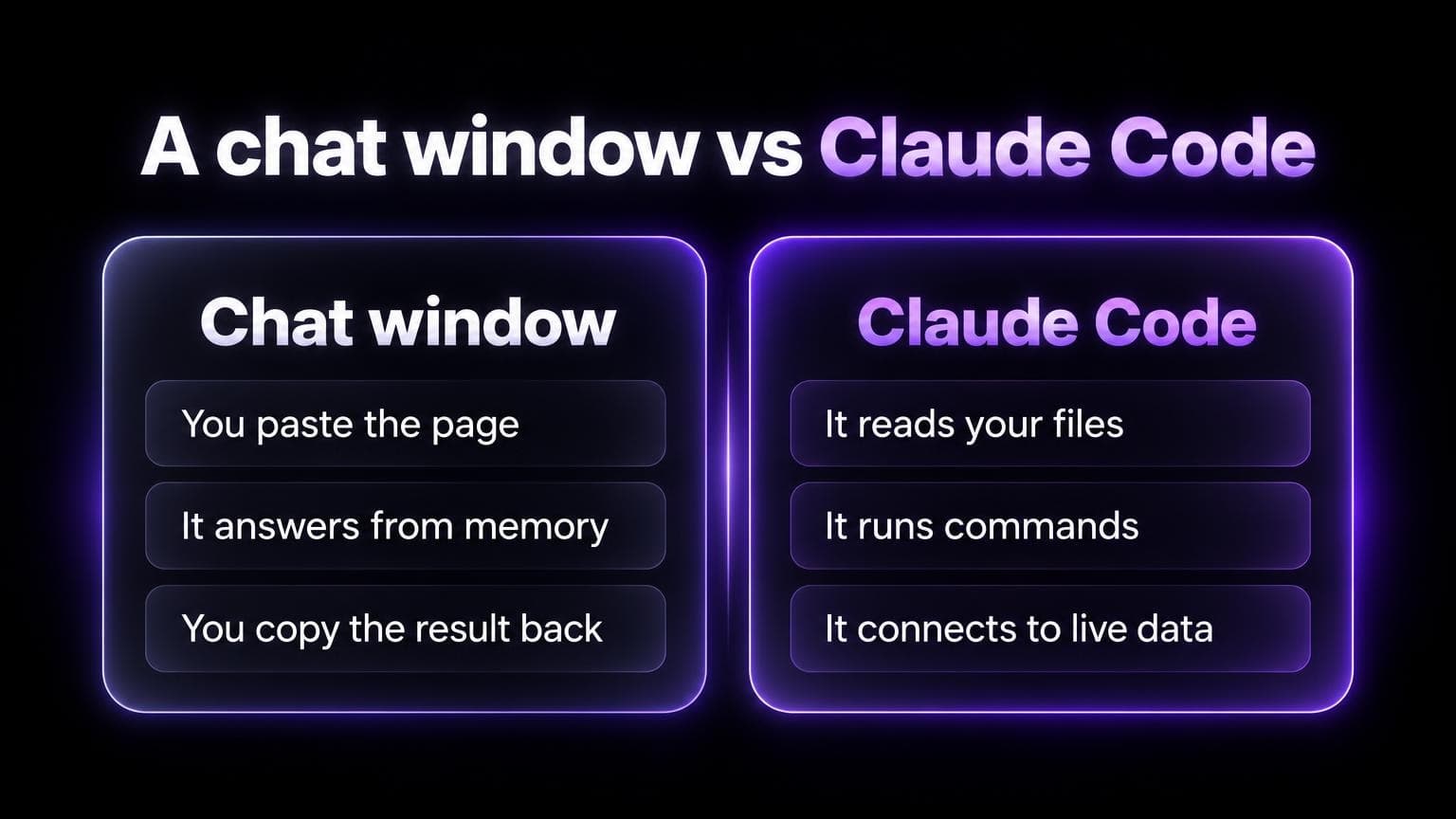
Three differences. Each one matters for SEO.
1. It reads your files.
Your blog is in a repo? It can read all of it. Every title, every description, every internal link.
No pasting.
2. It runs commands.
It can curl your page the way a bot would. It can grep 50 posts in a second.
So it checks instead of guessing.
3. It connects to live data.
Through MCP servers. Ask "which prompts skip us?" and it reads the answer from a tool.
That third one is the big one. Without data, an agent tells you what AI search "usually" does.
With data, it tells you what happened yesterday.
Set it up
Four steps.
1. Install.
curl -fsSL https://claude.ai/install.sh | bash
That's the native install for macOS, Linux and WSL. Other options are in Anthropic's quickstart.
Then open your site's repo and run claude.
2. Add house rules.
Claude Code reads a file called CLAUDE.md at the start of each session. Anthropic's docs explain how.
Put your rules there. More on this below.
3. Connect live data.
For AI search data, add our MCP server:
claude mcp add --transport http aiseotracker https://aiseotracker.com/api/agent/mcp
Then run /mcp in Claude Code and pick aiseotracker. A browser opens. Sign in, click Allow. No API key.
4. Ask for a plan first.
Claude Code asks before it edits a file or runs a shell command. Reading files needs no approval. (How permissions work.)
Use that. For any real job, say: "Plan first. Don't edit yet."
Read the plan. Then say go.
Six SEO jobs with real output
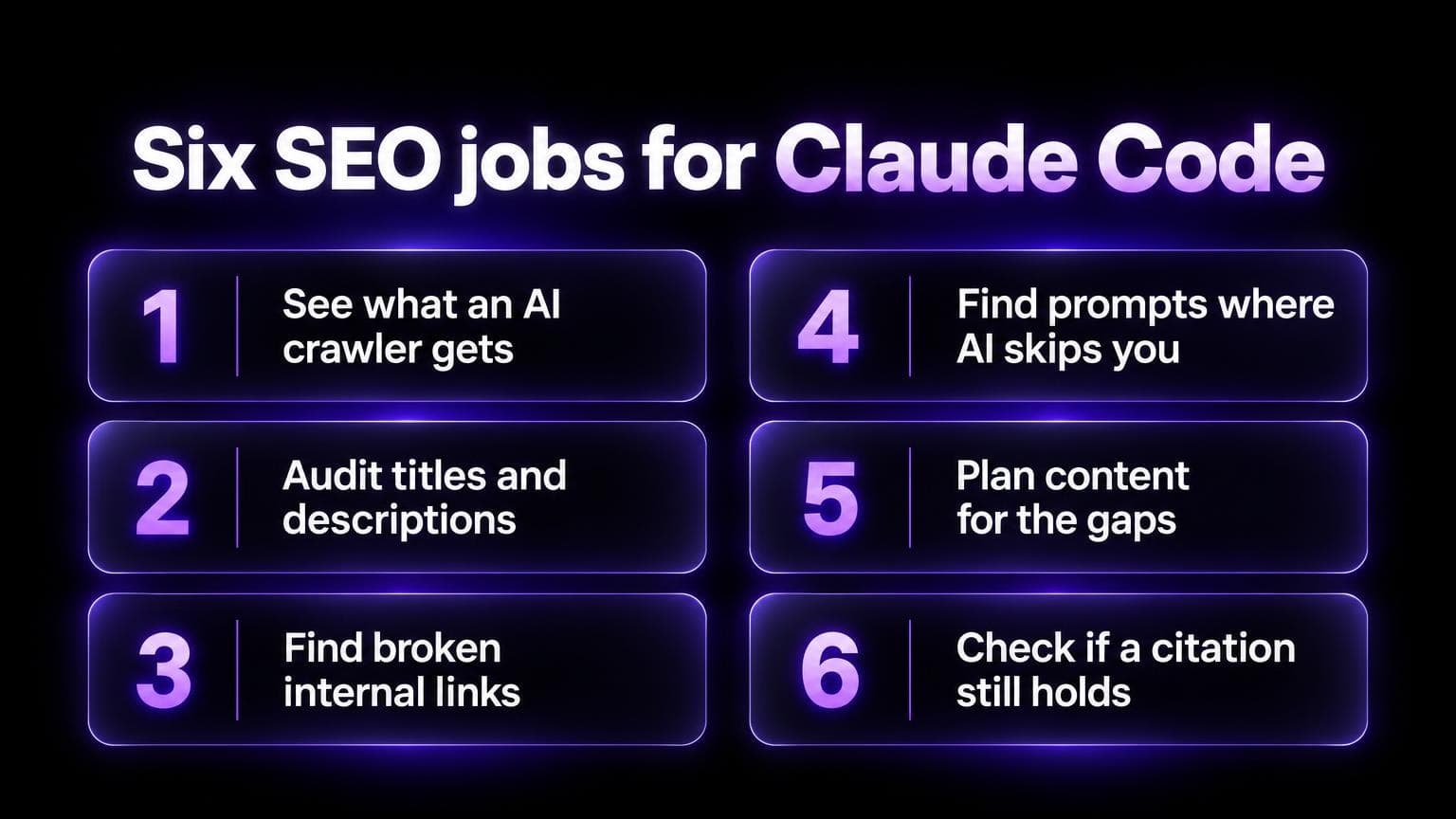
1. See what an AI crawler gets
In a Vercel study, the crawlers of OpenAI, Anthropic and Perplexity didn't run JavaScript. So the question is: is your price in the HTML?
The prompt:
Fetch https://aiseotracker.com/pricing as Chrome, OAI-SearchBot, GPTBot and PerplexityBot. Compare the status code, the size, and whether "$49" is in the HTML. Use curl. Don't use a browser.
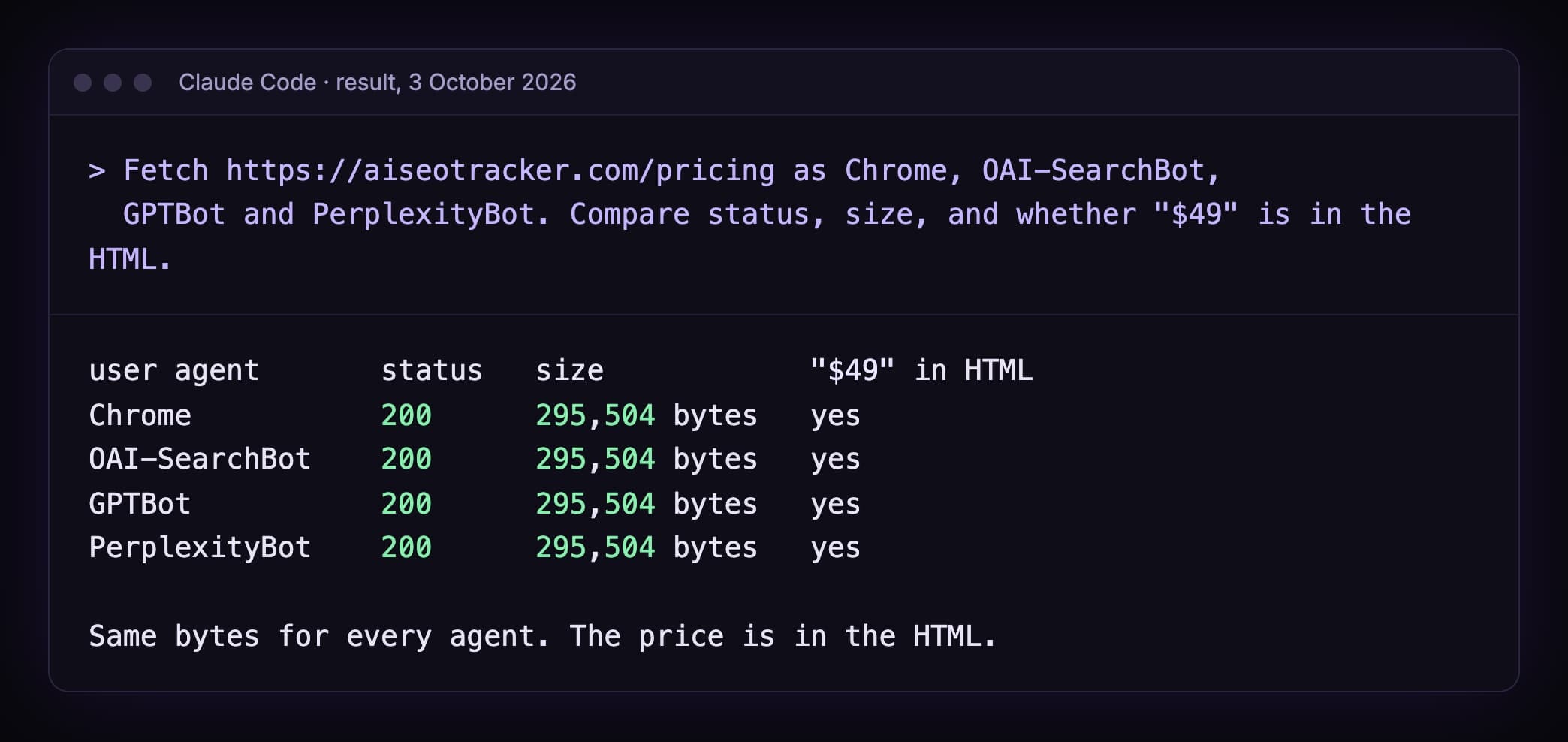
All four got the same page. And "$49" is in the raw HTML.
One limit. This tests the user agent string only. A firewall can still block a real bot by IP. Check your CDN logs for that.
More on this check: what ChatGPT reads on your website.
2. Audit titles and descriptions
The prompt:
Read every post in apps/web/content/blog. Count titles over 60 characters and descriptions outside 120 to 160 characters. List the files. Don't change anything.
3. Find broken internal links
Same run. One more line:
Then check every internal /blog/ link. Does the target file exist? List the broken ones.
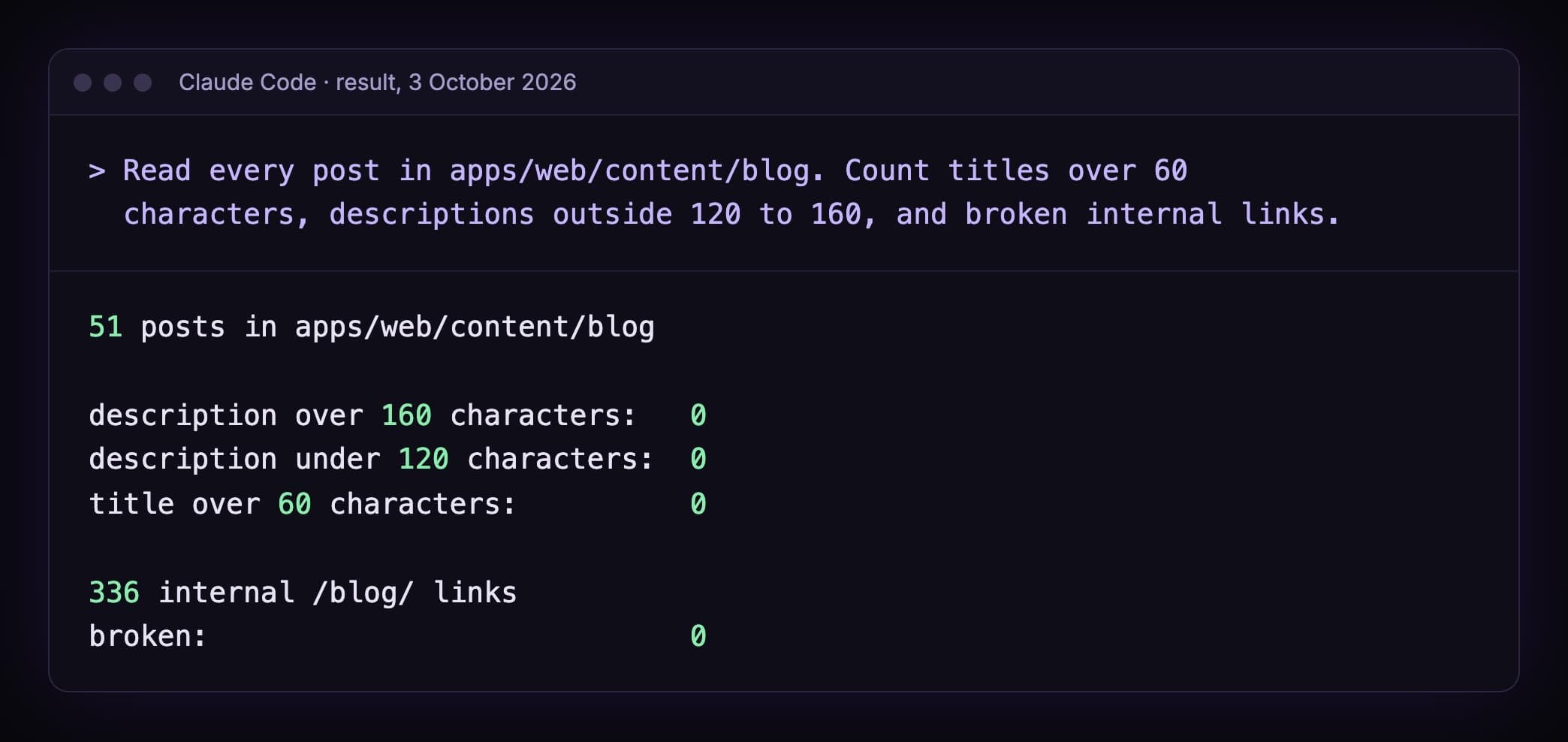
51 posts. 336 internal links. Nothing broken.
A crawler tool does this too. The difference: when Claude Code finds a problem, it can open the file and fix it. You review the diff.
4. Find the prompts where AI skips you
Now the AI search side. This needs the MCP server.
The prompt:
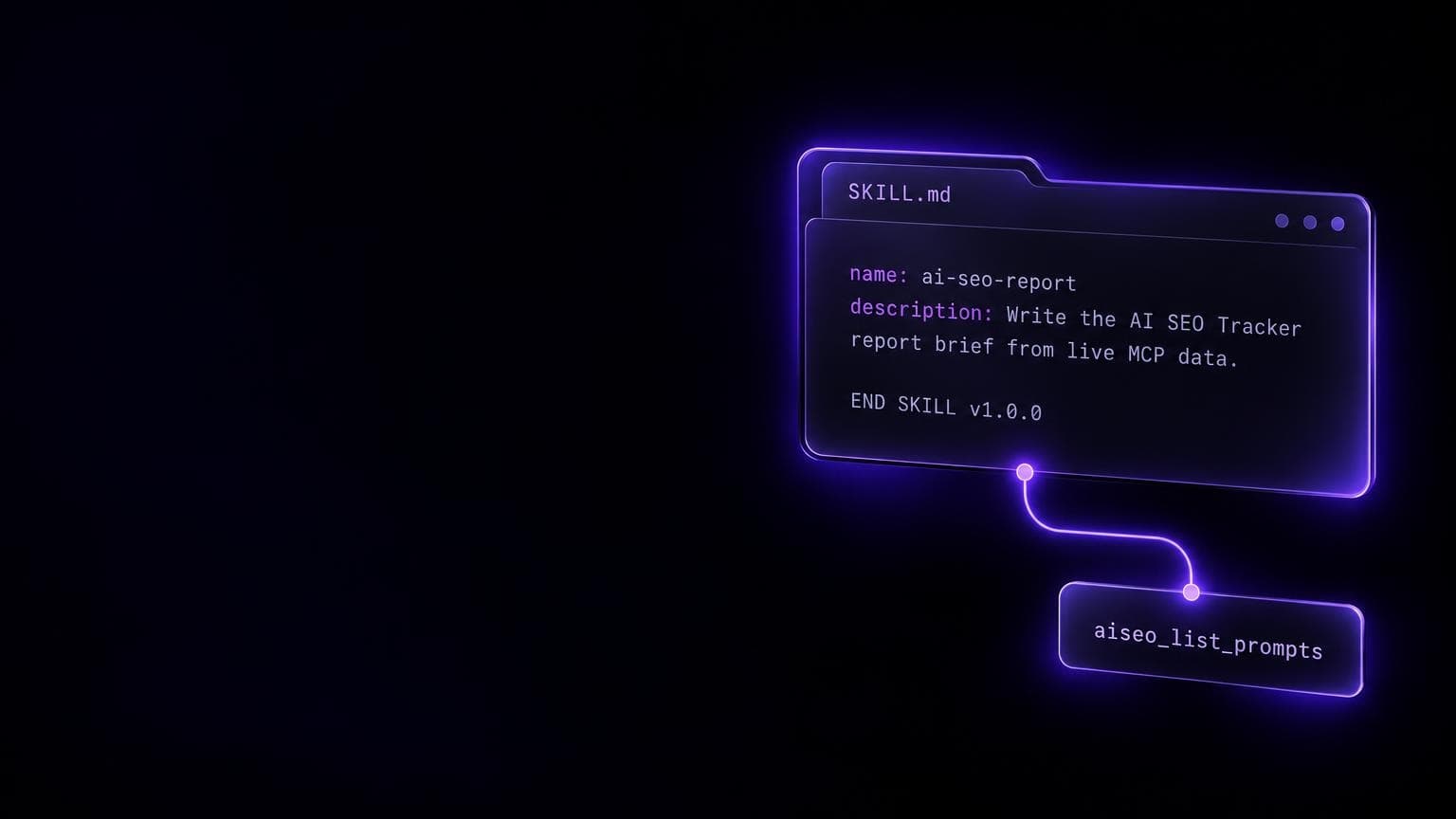
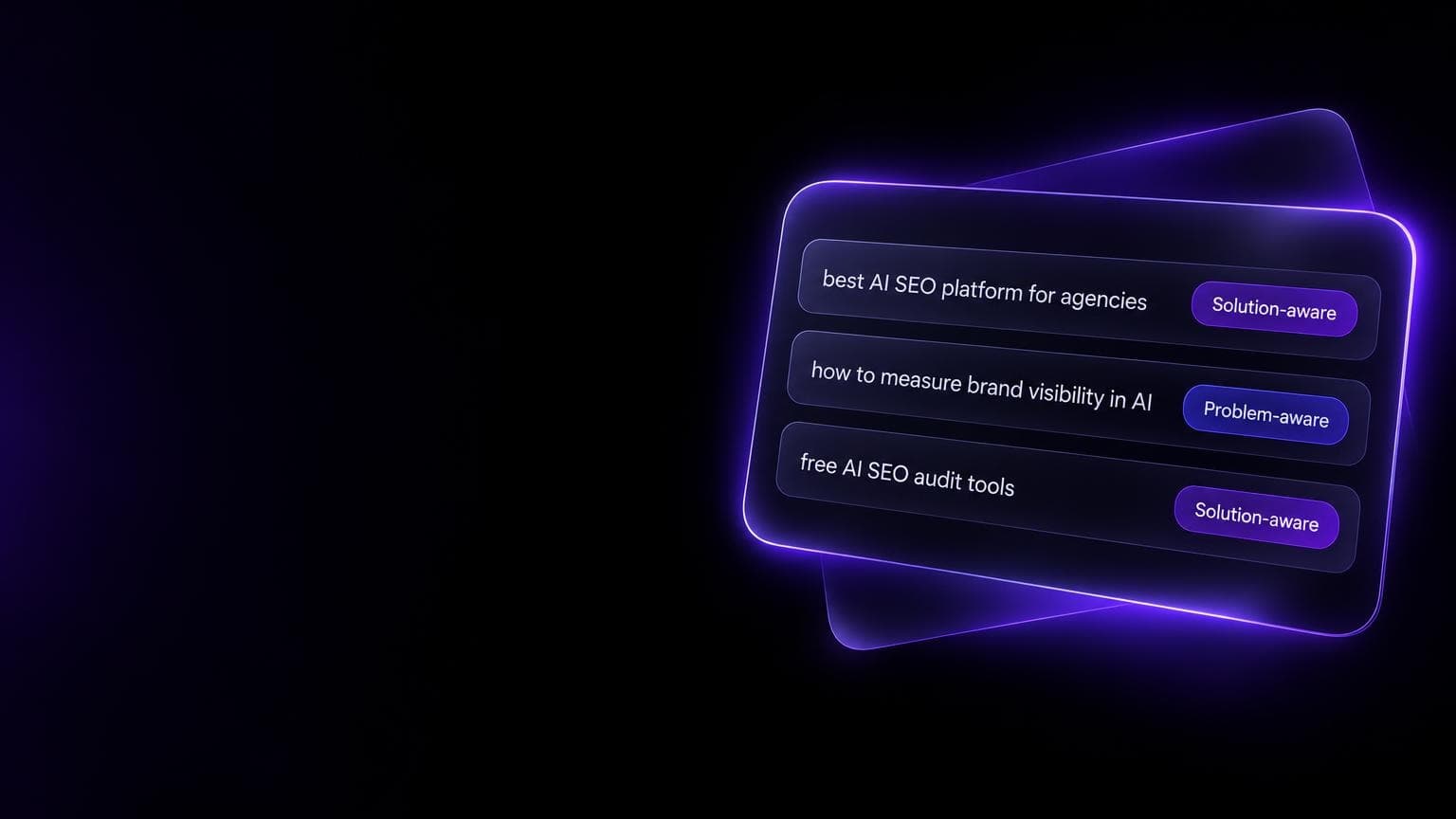
Call aiseo_list_projects and use the project for aiseotracker.com. Call aiseo_get_scan, then aiseo_list_prompts. Which prompts are missing? Copy the numbers from the tool output. Don't invent ranks.
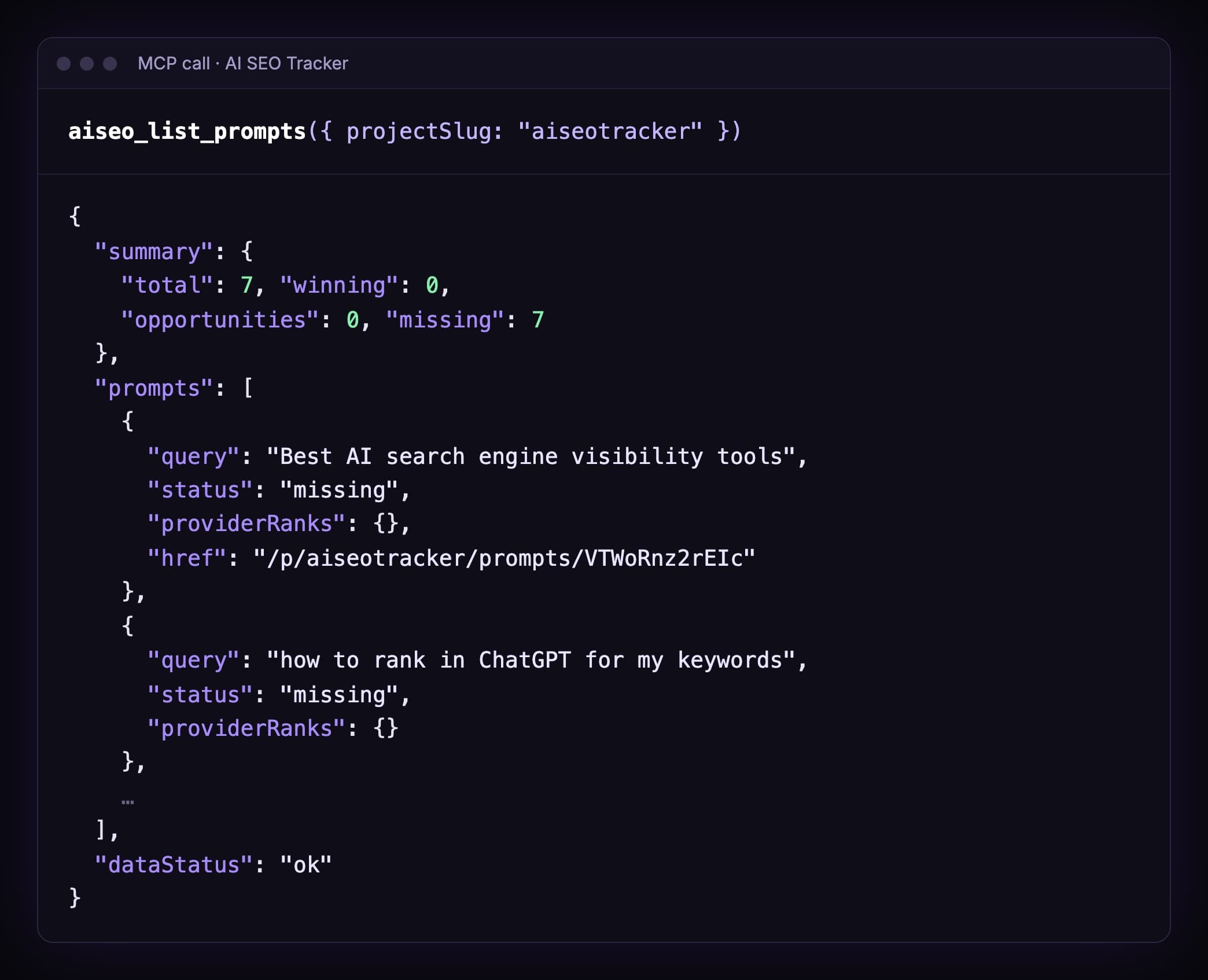
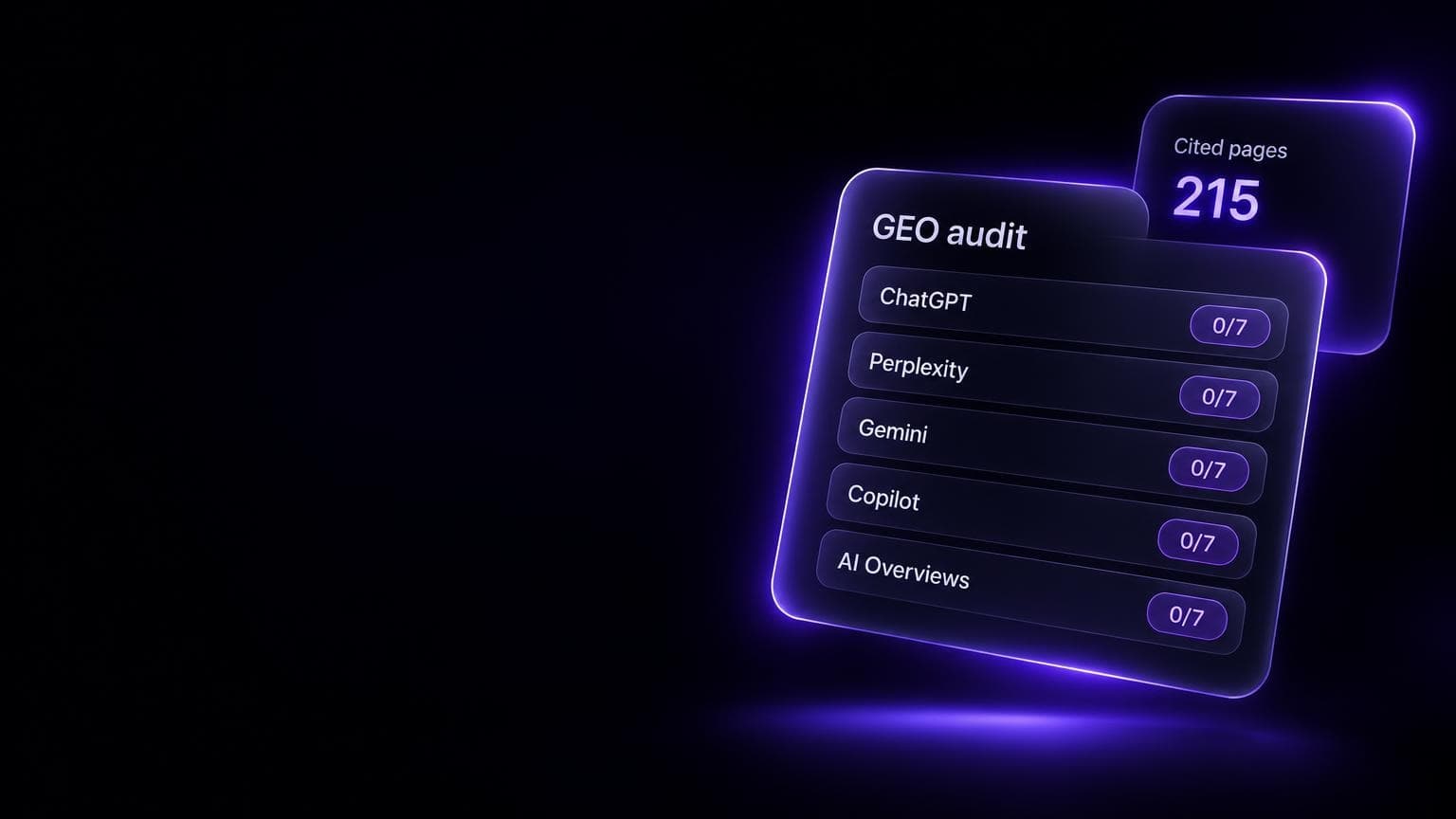
7 prompts. 7 missing.
That's us. We make an AI visibility tracker, and the latest answers don't name it.
Honest data is the point. A chat window would have said something nicer.
5. Plan content for the gaps
Don't say "write posts for those prompts". You'll get seven thin posts.
Use a skill that plans first:
Fetch https://aiseotracker.com/content-coverage/SKILL.md and plan content coverage from missing AI search prompts for aiseotracker.com. Stop for approval before writing files.
The skill groups prompts by intent. It checks your existing posts so it doesn't write a duplicate. It caps a batch at 5 posts.
And it stops:
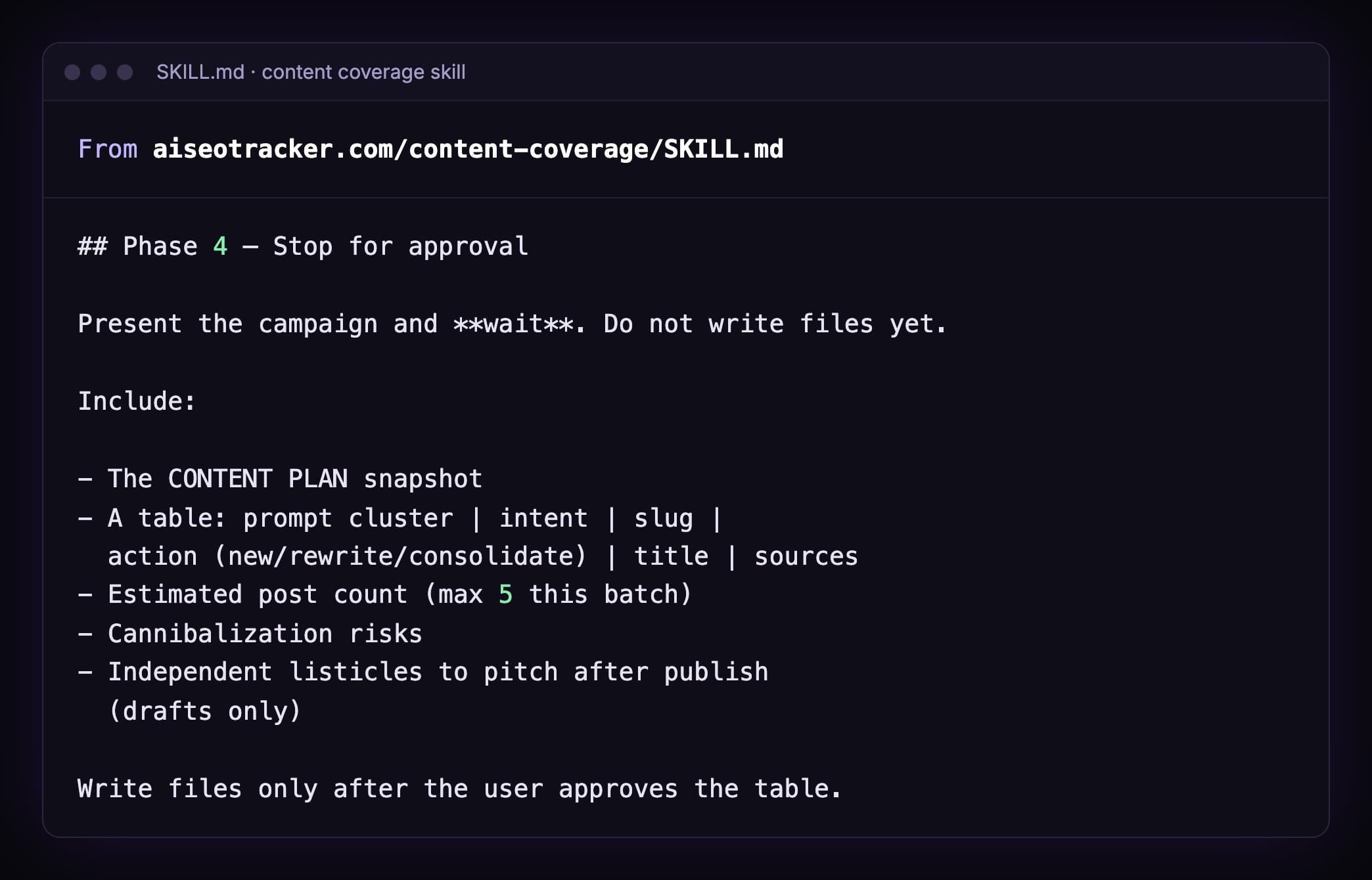
How skills work: Claude SEO skills.
6. Check if a citation still holds
A page that AI cited last month may be gone this month.
The prompt:
Call aiseo_list_sources. Take the top source. Call aiseo_get_source_history for it. Which engines still cite it?
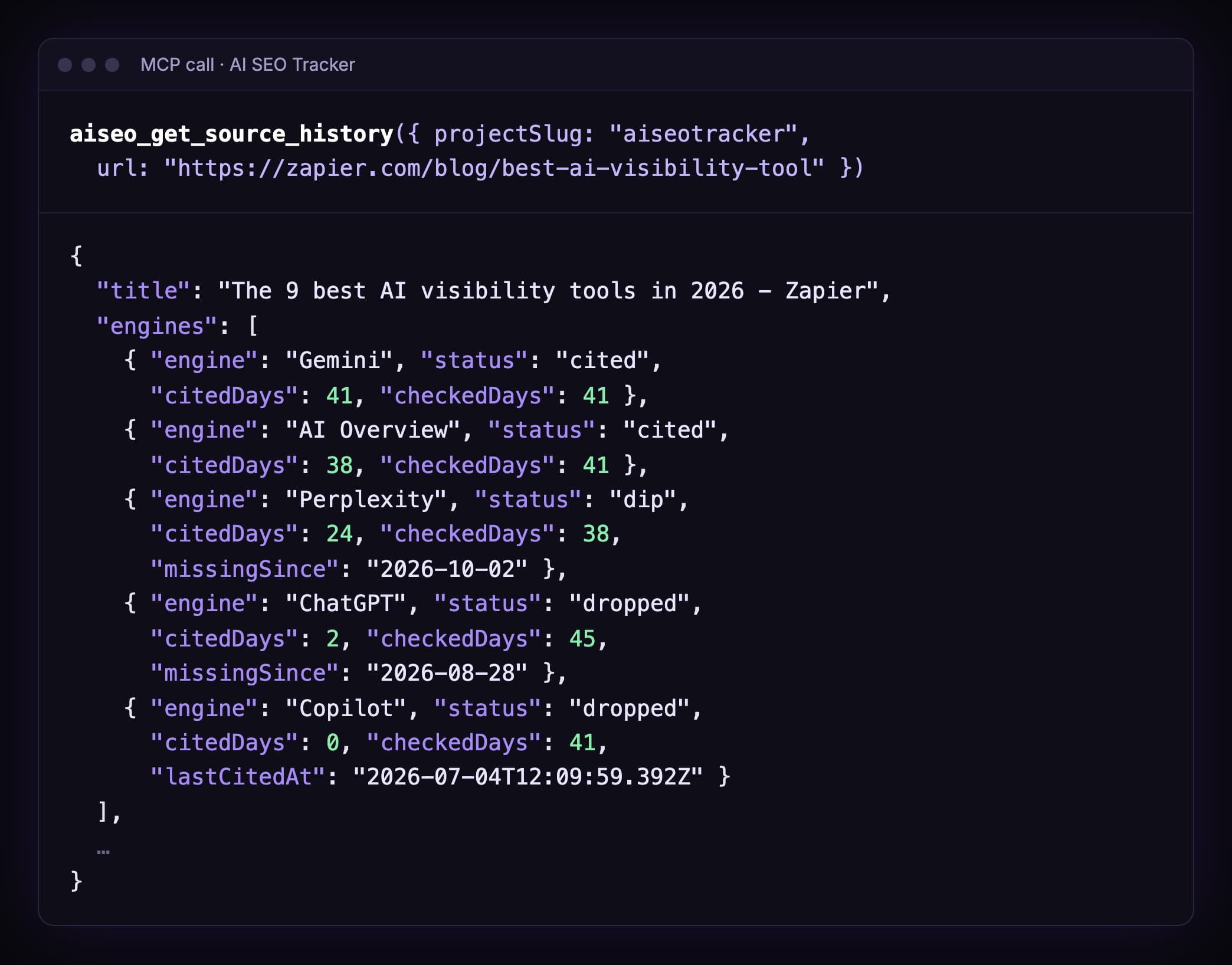
Our top source is a Zapier list. Gemini cited it on 41 of 41 checked days.
ChatGPT cited it on 2 of 45, and not since 28 August.
So a pitch to Zapier helps on Gemini. On ChatGPT, probably not right now.

The loop: measure, write, measure again
Here's what most guides miss.
They end at "Claude wrote the post". Then what?
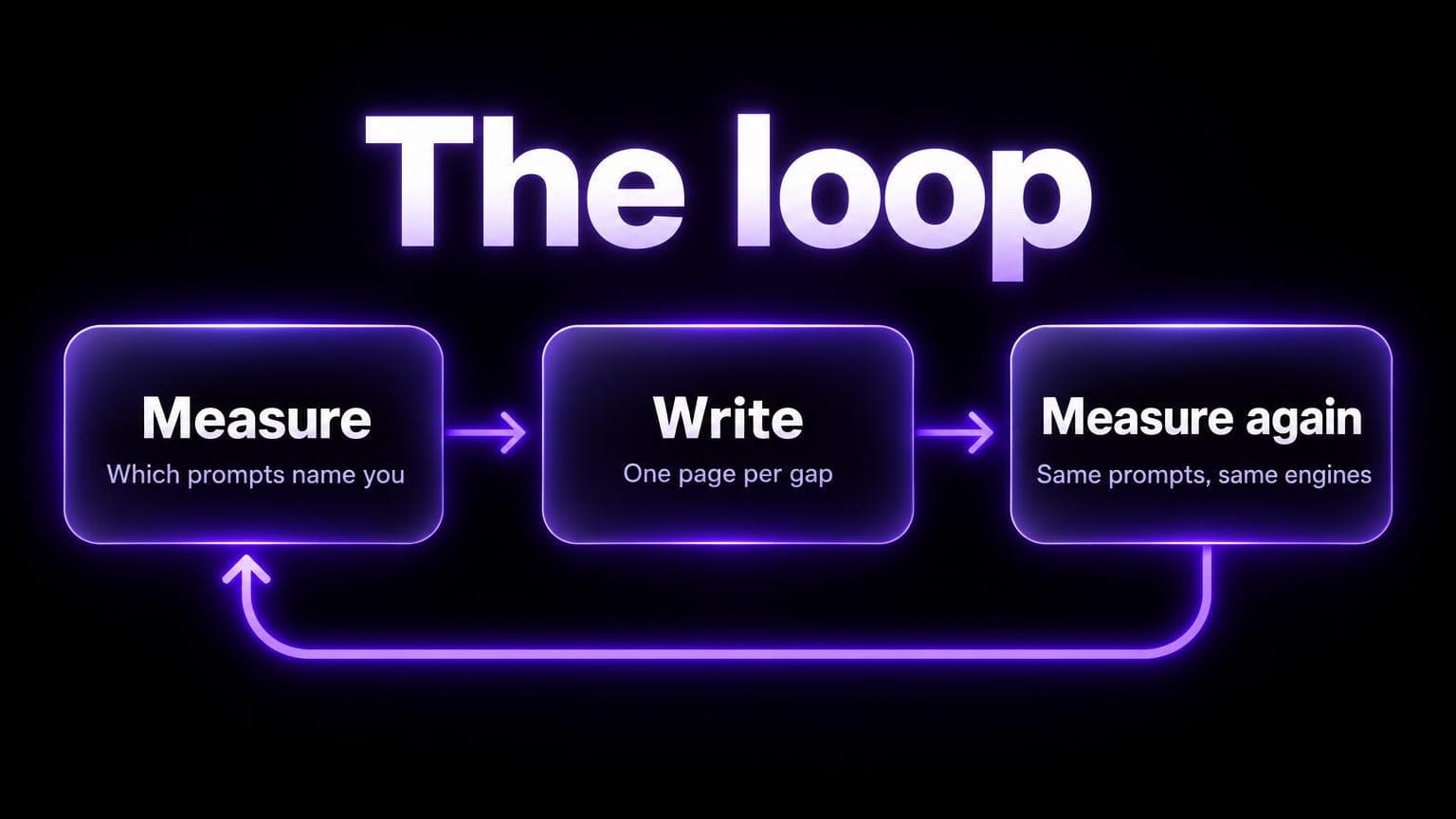
- Measure. Which prompts name you? Which pages get cited?
- Write. One page per gap. From a plan you approved.
- Measure again. Same prompts. Same engines.
No third step, no learning.
You won't know if the post helped. And you'll write ten more like it.
How long until an engine picks up a change? I have no sourced number. So don't guess a date. Re-run and look.
House rules that keep it honest
An agent follows the rules you write down. So write them down.
Three real lines from our own rules file:
Do not rename a heading on a live post. In-page links and search jump links use its id.
Offer wording must match the product: $49 once, up to 50 prompts, five engines, 7 days of scans.
Do not change a title in the same deploy as content or layout changes.
The last one has a story. A title rewrite on another site came with a traffic drop, and we couldn't tell which change caused it.
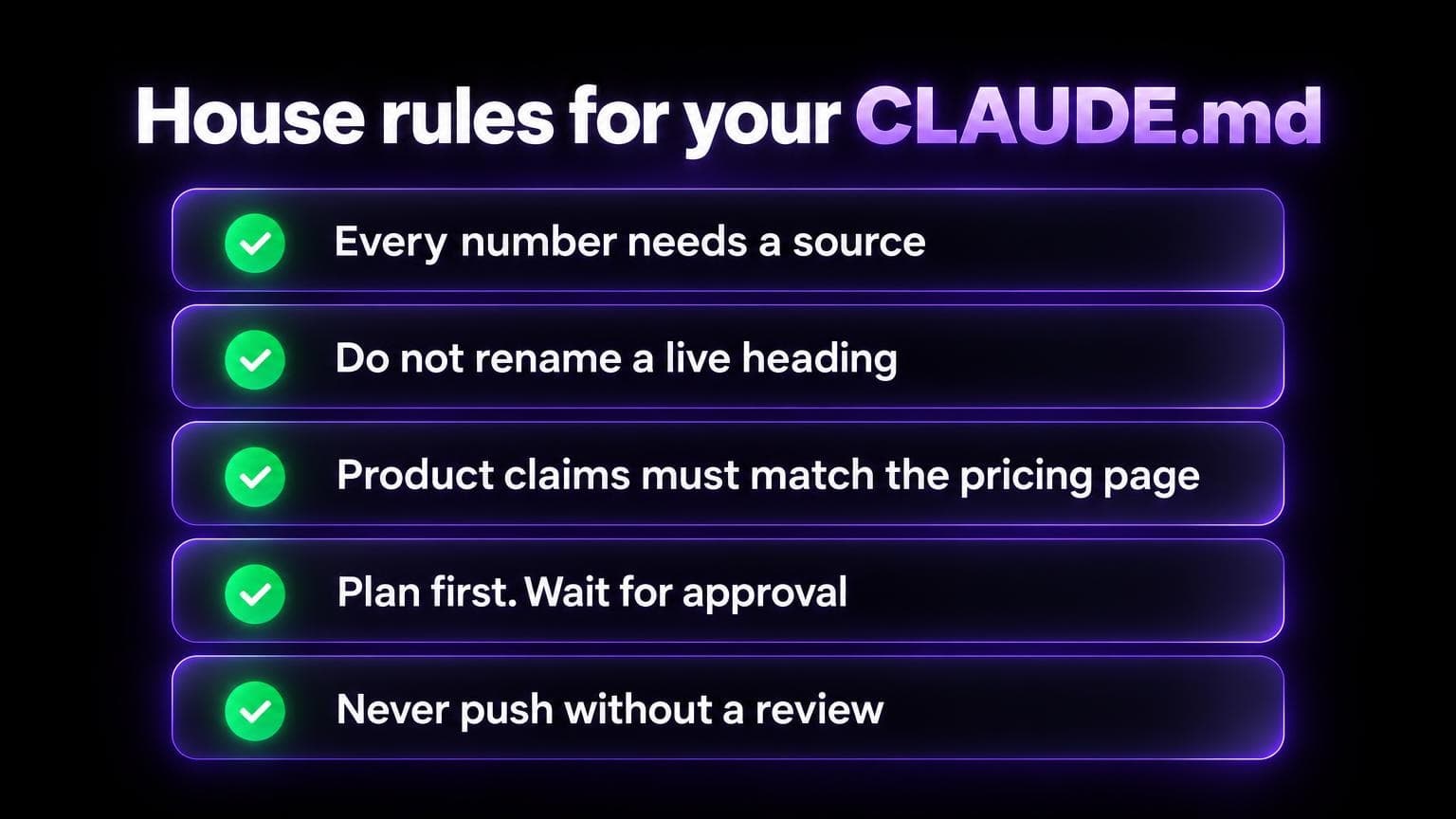
Rules for yours:
- Every number needs a source. No source, no number.
- Don't rename live headings. Links point at them.
- Product claims must match the pricing page. Agents love to round up.
- Plan first. No edits before you approve.
- No push without a review. Read the diff.
One more thing. A rules file guides the agent. It doesn't lock anything.
Anthropic's docs are clear on that: permissions are enforced by Claude Code itself, not by what you write in CLAUDE.md. So keep the approval prompts on.
Check its work.
Agents get facts wrong. Ours did.
We now run a second pass on new posts: one agent checks each number against its source, and another tries to prove the first one wrong.
It finds real errors. Wrong dates. A percentage with the wrong base.
Budget time for that pass.
What to keep human
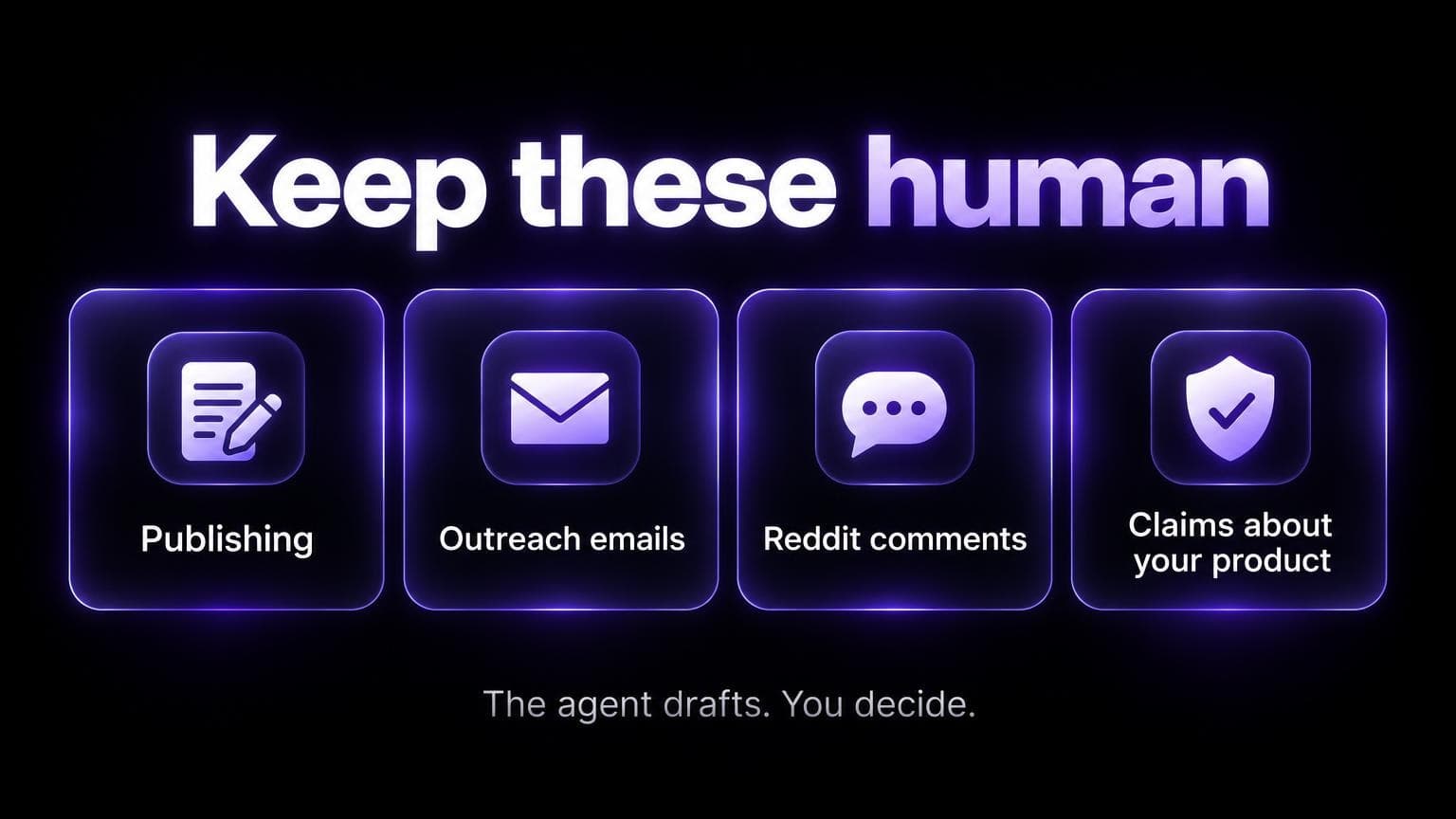
- Publishing. It can open a pull request. You merge.
- Outreach. It drafts the pitch. You send.
- Reddit and forums. It drafts. You post, as yourself. Reddit for GEO has the rules.
- Claims about your product. Prices, limits, what you support. Check every one.
- First-hand experience. It didn't test the tool. You did. Say what you saw.
FAQ
Can Claude Code track my rankings?
Not alone. It has no ranking data.
Connect a data source over MCP. A rank tracker for Google positions. An AI visibility tracker for AI answers.
Does this work in Cursor?
Yes. The MCP server and the skills work the same way. Setup steps for Cursor.
Is Claude one of the engines you track?
No. We scan ChatGPT, Perplexity, Gemini, Copilot and Google AI Overviews.
Claude Code is the agent here. Not a tracked engine.
Will Claude Code write my whole blog?
It can. It shouldn't.
Google's guidance on AI content says generating many pages without adding value may violate its spam policy on scaled content abuse.
Use it for the checks, the plans and the first drafts. Add what only you know.
Do I need to code?
A little helps. You need a terminal and a repo.
If your site runs on a hosted CMS with no repo, the file jobs (2 and 3) won't apply. Job 5 needs a repo too: the skill checks your existing posts there and writes new ones there. Jobs 4 and 6 still work.
What does the data cost?
The MCP server reads your scan data. A scan is $49 once: up to 50 prompts on five engines, daily for 7 days. Plans start at $79/mo.