



TL;DR
- What it is: a skill is a Markdown file that tells an agent how to do one job. The file is called
SKILL.md. - Skill vs MCP: a skill is the method. MCP is the data. You want both.
- Anatomy: six parts, shown on a real file: frontmatter, start line and end marker, call order, data block, do-not list, stop point.
- Three real ones: setup, report and content coverage. All public. Read them before you write yours.
- Write your own: six rules and a template. The most important rule: stop before it writes.
Does AI name your brand? Check your site.
Search "Claude SEO skill" and you get a lot of GitHub repos.
Most are audit packs. Big ones. One on Reddit runs 13 sub-agents.
They read your pages and give advice.
Fine. But out of the box they share one gap: no live data. A few add it with paid extensions. Without one, they can't tell you if ChatGPT names you today.
So this guide does two things.
It shows how a skill file works, using three real ones we ship. And it gives you a template for your own.
What a Claude skill is
A skill is a folder with a file called SKILL.md.
The file has two parts:
- Frontmatter. A
nameand adescription. - Instructions. Plain Markdown. How to do the job.
That's it. No code needed.
Anthropic introduced Agent Skills on 16 October 2025. The format is now an open standard, so other agents can read it too.
The two required fields have limits:
| Field | Limit | What goes in it |
|---|---|---|
name | 64 characters. Lowercase letters, numbers, hyphens | A short id, like ai-seo-report |
description | 1,024 characters | What the skill does and when to use it |
The clever part is how it loads.
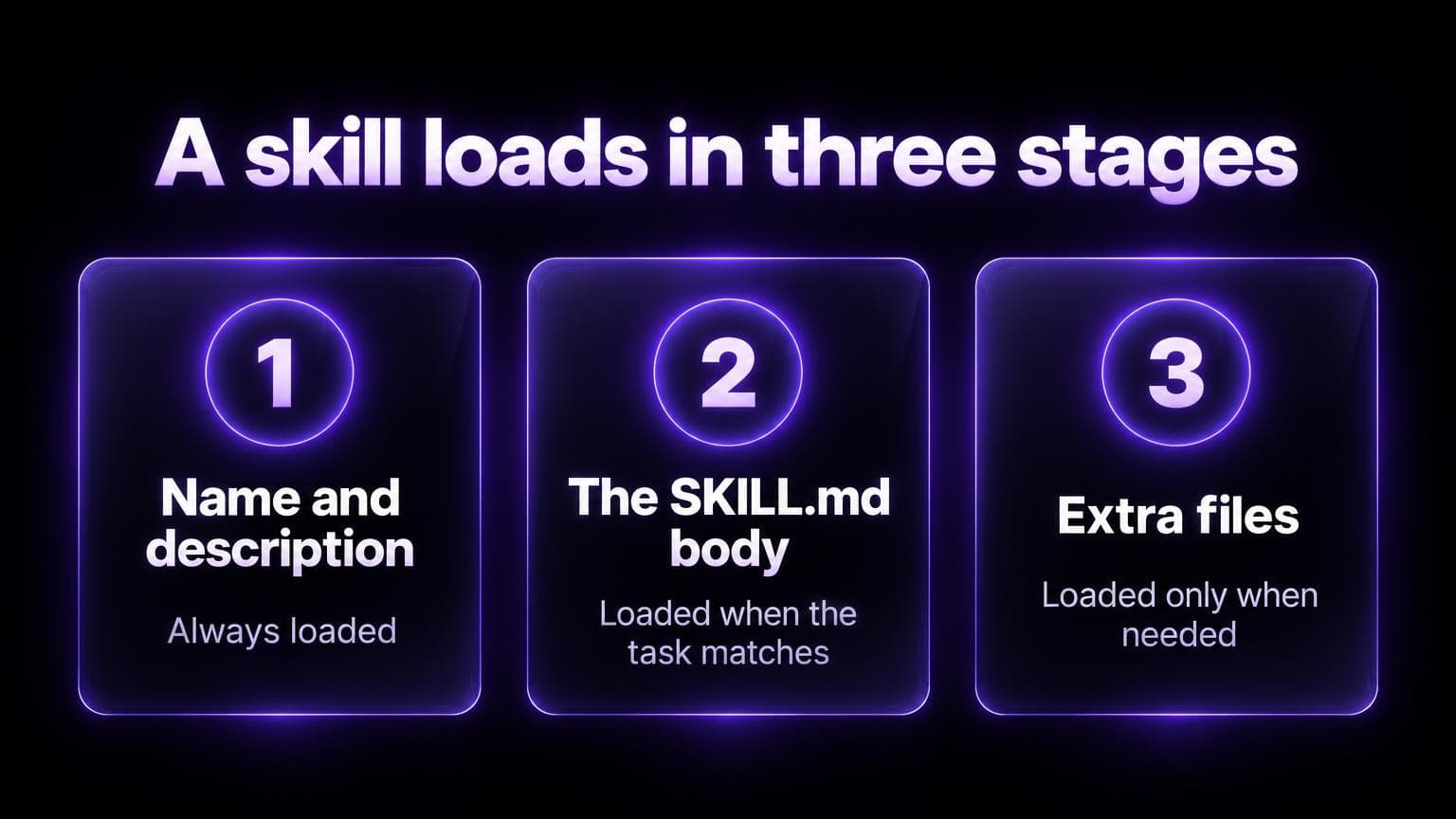
The agent reads only the name and description at the start.
It opens the full file when your request matches the description.
So you can have many skills without filling the context window. Anthropic's docs explain the three levels.
In Claude Code, skills live in ~/.claude/skills/ (yours) or .claude/skills/ (the project's).
Prompt, skill or MCP
People mix these up. They're three different things.
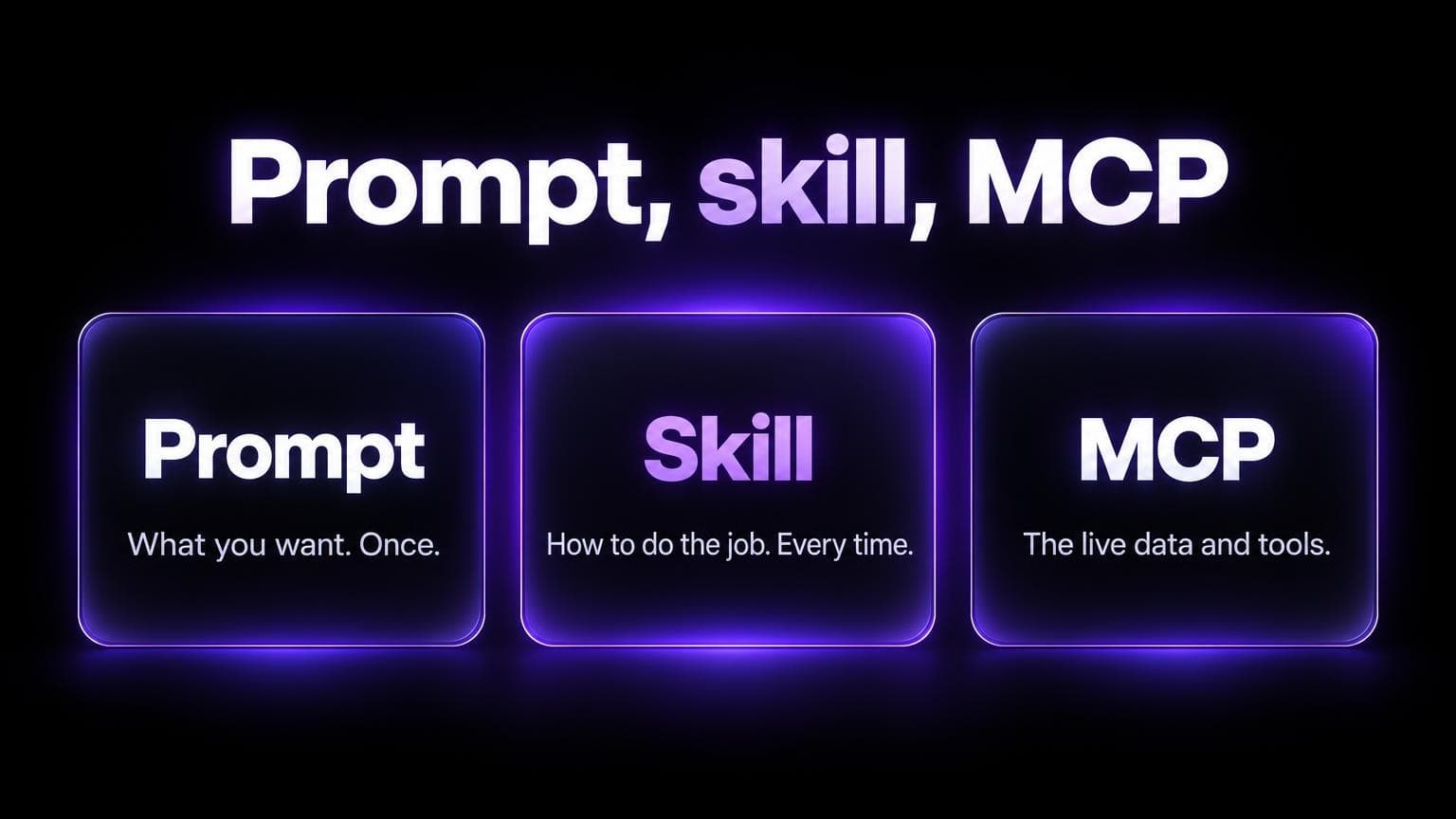
| What it is | Example | |
|---|---|---|
| Prompt | What you want, typed once | "Summarize my AI visibility" |
| Skill | How to do the job, saved in a file | "Call these tools in this order. Fill this block. Don't invent ranks." |
| MCP server | Live data and tools | The list of prompts where ChatGPT names you |
A skill with no data writes confident guesses.
Data with no skill gets you a different report every Monday.
Together they work. The skill is the method. The MCP server is the data.
Anatomy of a SKILL.md
Here's a real one. Our setup skill, live at aiseotracker.com/SKILL.md.
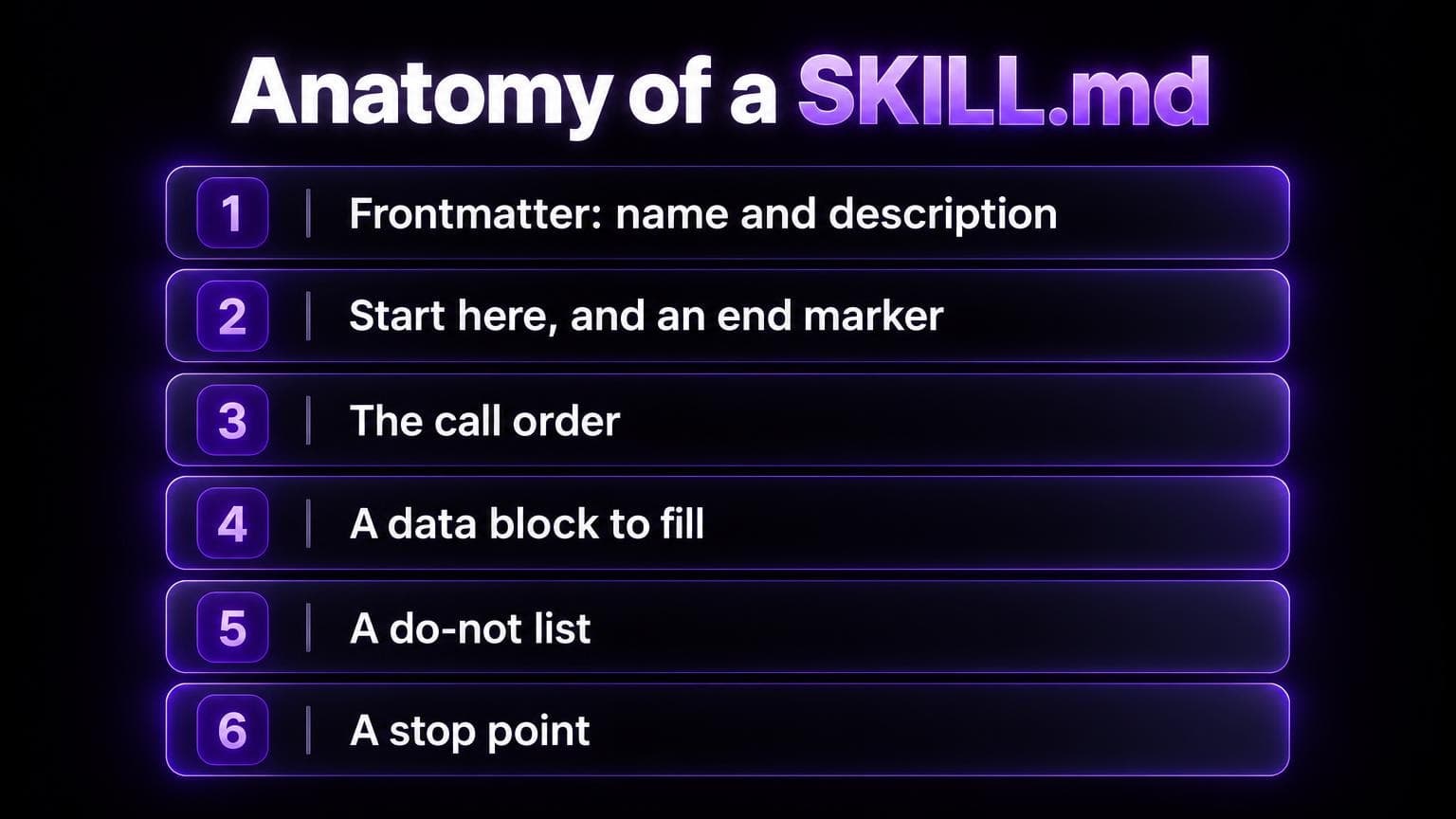
1. The frontmatter says when to use it.
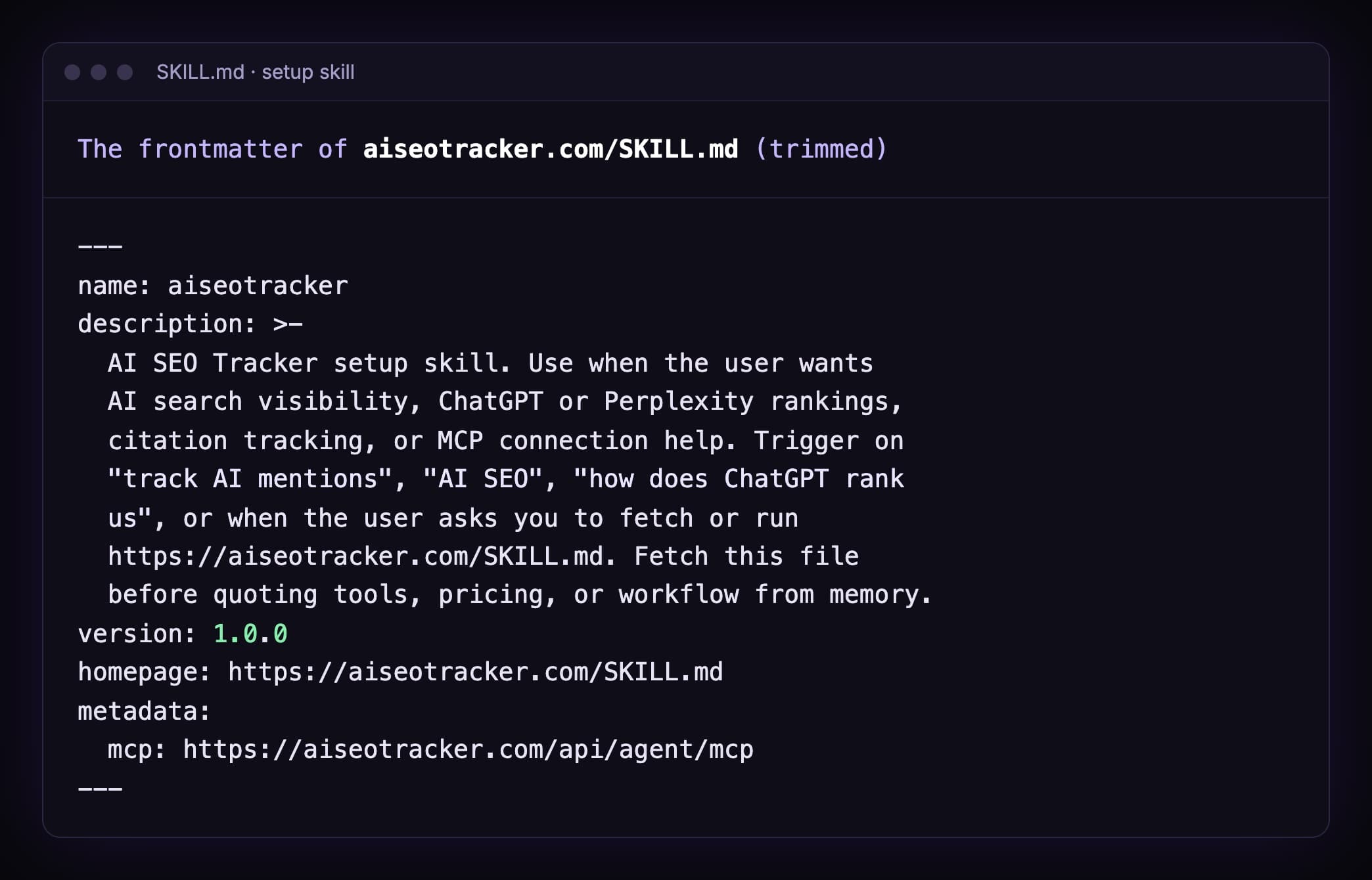
Look at the description. It doesn't only say what the skill does.
It says when: "Trigger on 'track AI mentions', 'AI SEO', 'how does ChatGPT rank us'".
That's what the agent matches against. A vague description means the skill never fires.
2. A start line and an end marker.
Agents fetch files over the network. Sometimes they get half a file.
So our skill says: the file is complete only if the last line is END SKILL v1.0.0. If it's missing, fetch again.
Cheap trick. It works.
3. The call order.
aiseo_list_projects first. Then aiseo_get_scan. Then the data.
Without an order, the agent guesses a project slug. With one, it looks it up.
4. A data block to fill.
More on this in the report skill below. It's the best idea of the three.
5. A do-not list.
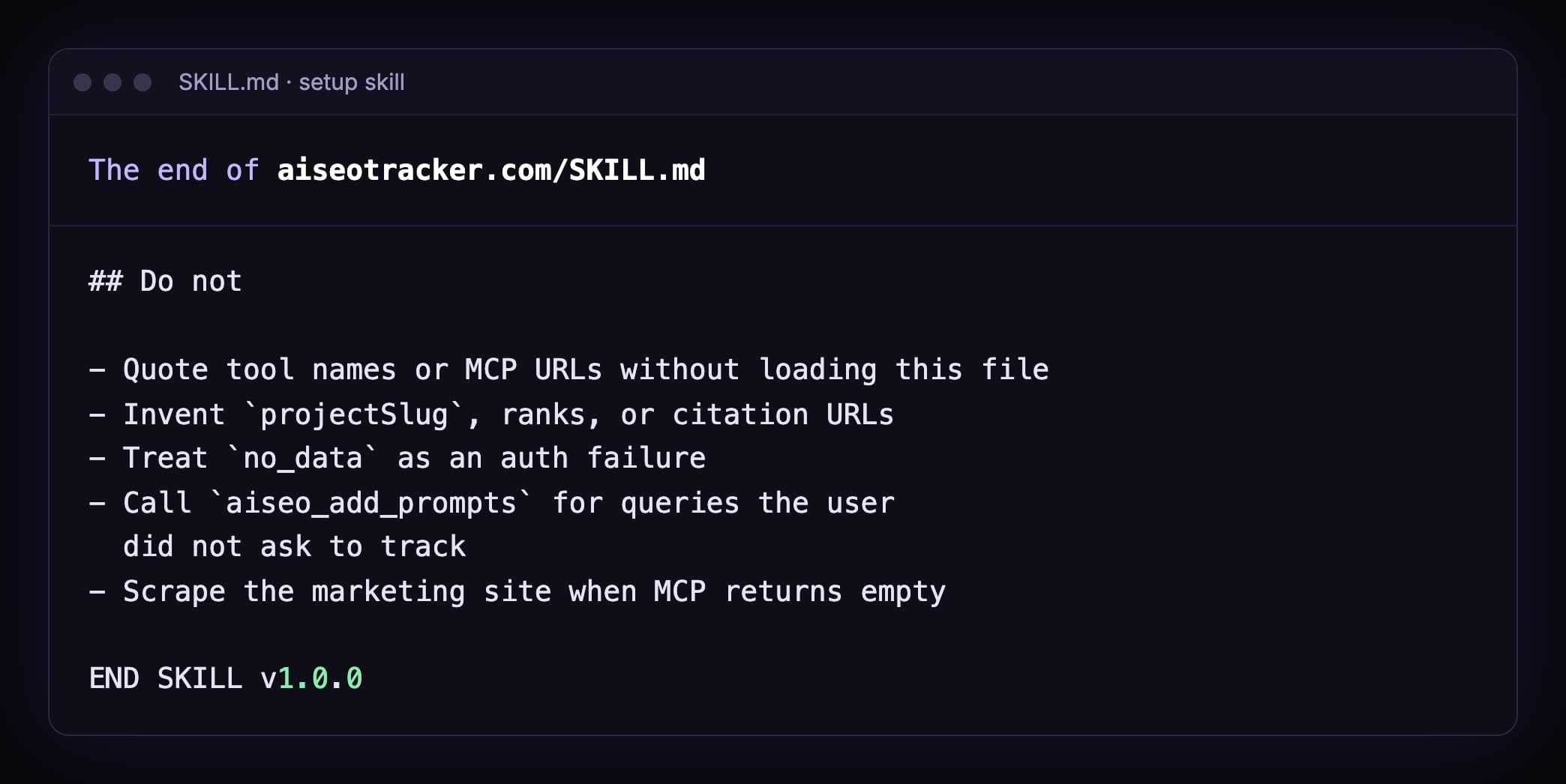
Each line blocks a mistake that agents make.
"Don't invent ranks" sounds obvious. Write it anyway.
6. A stop point.
Our skills stop at drafts. No email. No posting. No card charges.
The content skill goes further. It stops and waits for you before it writes a single file.
Three real SEO skills
All three are public. Open them. They're plain Markdown.
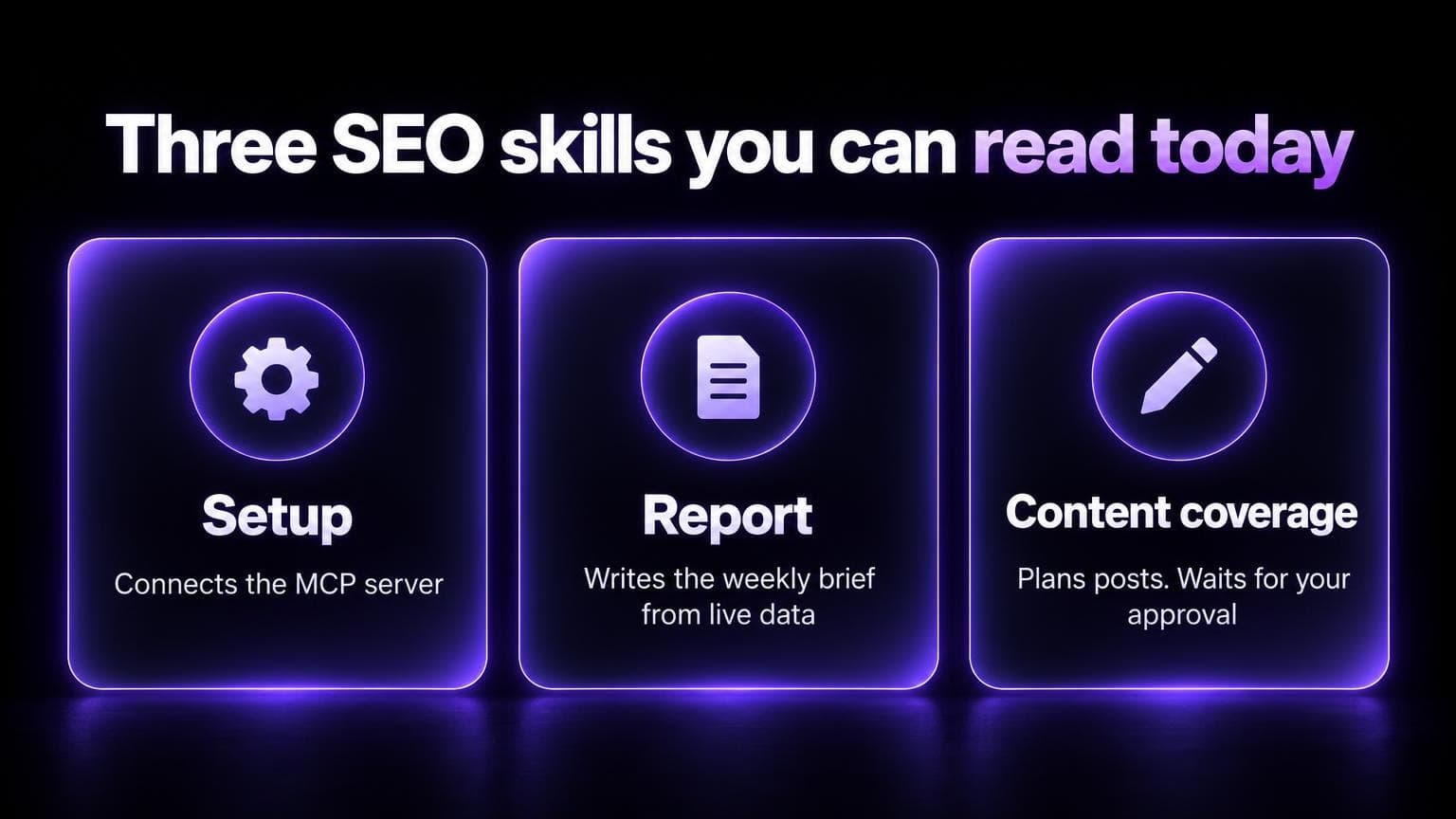
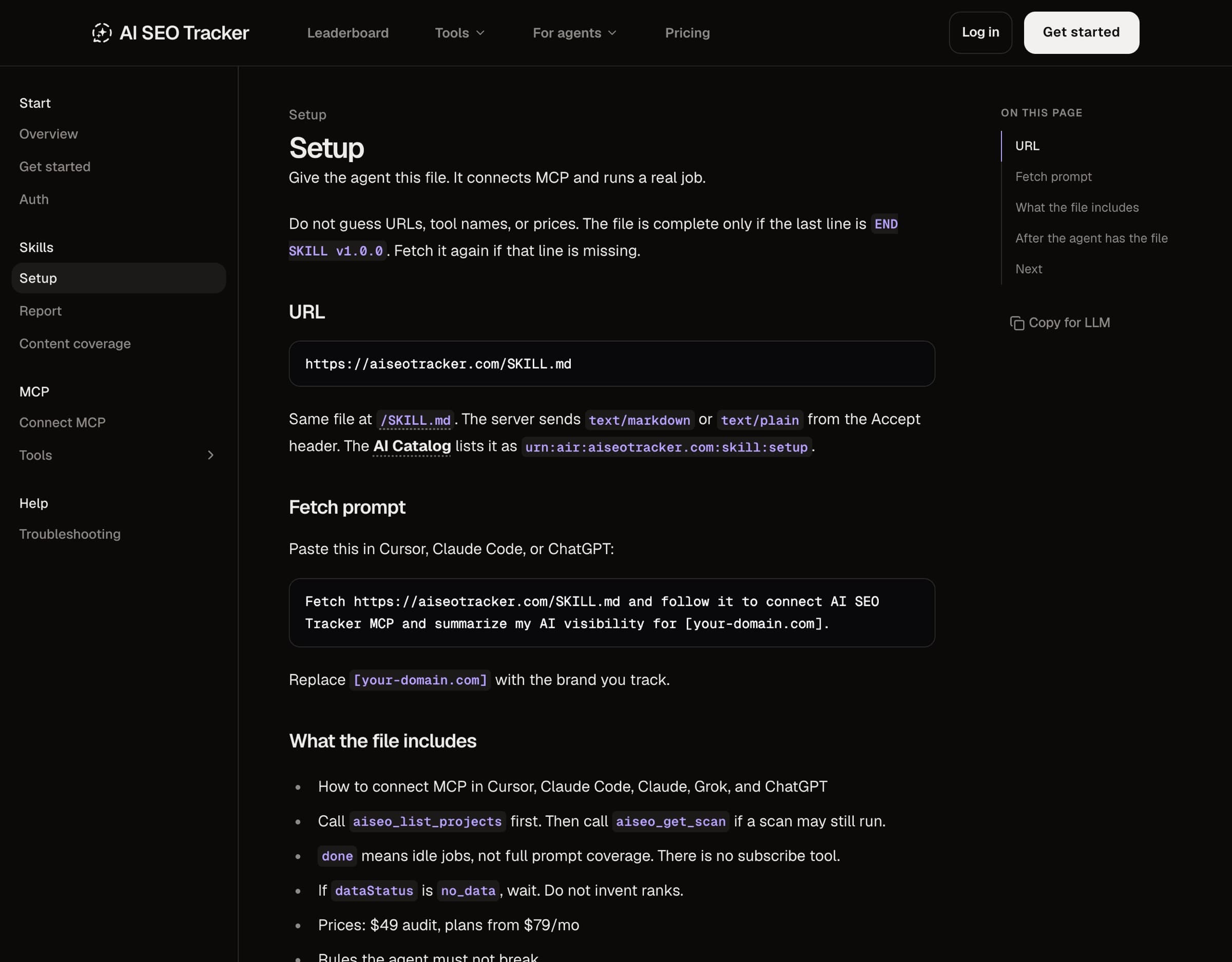
1. Setup
File: aiseotracker.com/SKILL.md
Job: connect the MCP server and answer a first visibility question.
It carries the MCP URL, the steps for Cursor, Claude Code, Claude, Grok and ChatGPT, the eight tool names and the rules.
2. Report
File: aiseotracker.com/ai-seo-report/SKILL.md
Job: write a short brief of your AI visibility. The same brief as the Report page in the app.
Here's its best idea. Before the agent writes one sentence, it must fill this block from the tool output:
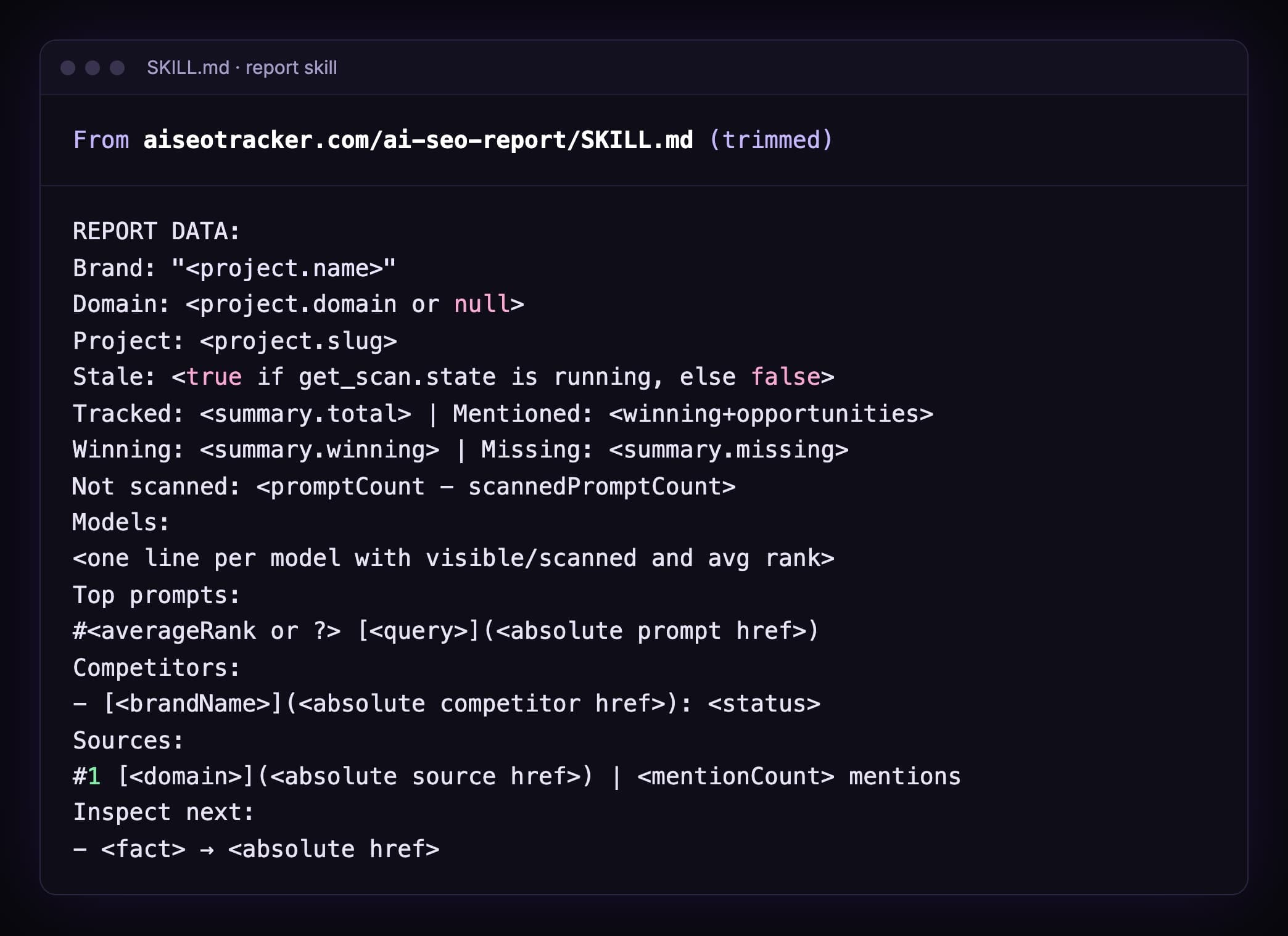
Why does this matter?
Because an agent that writes prose first will smooth over gaps. An agent that fills a form first can't.
No data for a field? The field stays empty. And the skill says: omit it. Don't invent it.
It also names what the tools don't have: no 30-day trend, no domain rating, no traffic. So the agent leaves those out.
3. Content coverage
File: aiseotracker.com/content-coverage/SKILL.md
Job: turn your missing prompts into a content plan, then into posts in your repo.
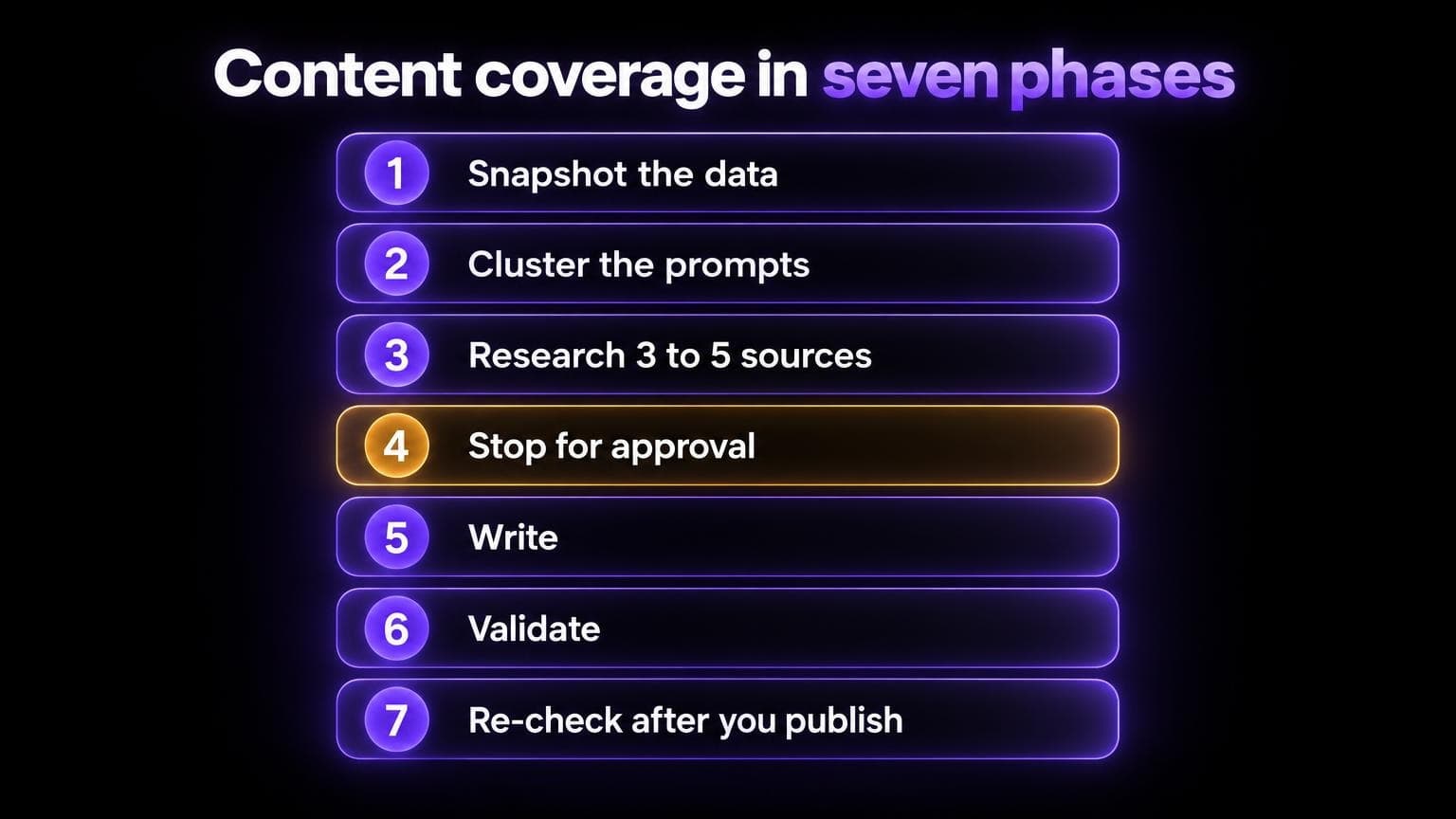
Seven phases. The fourth is a hard stop:
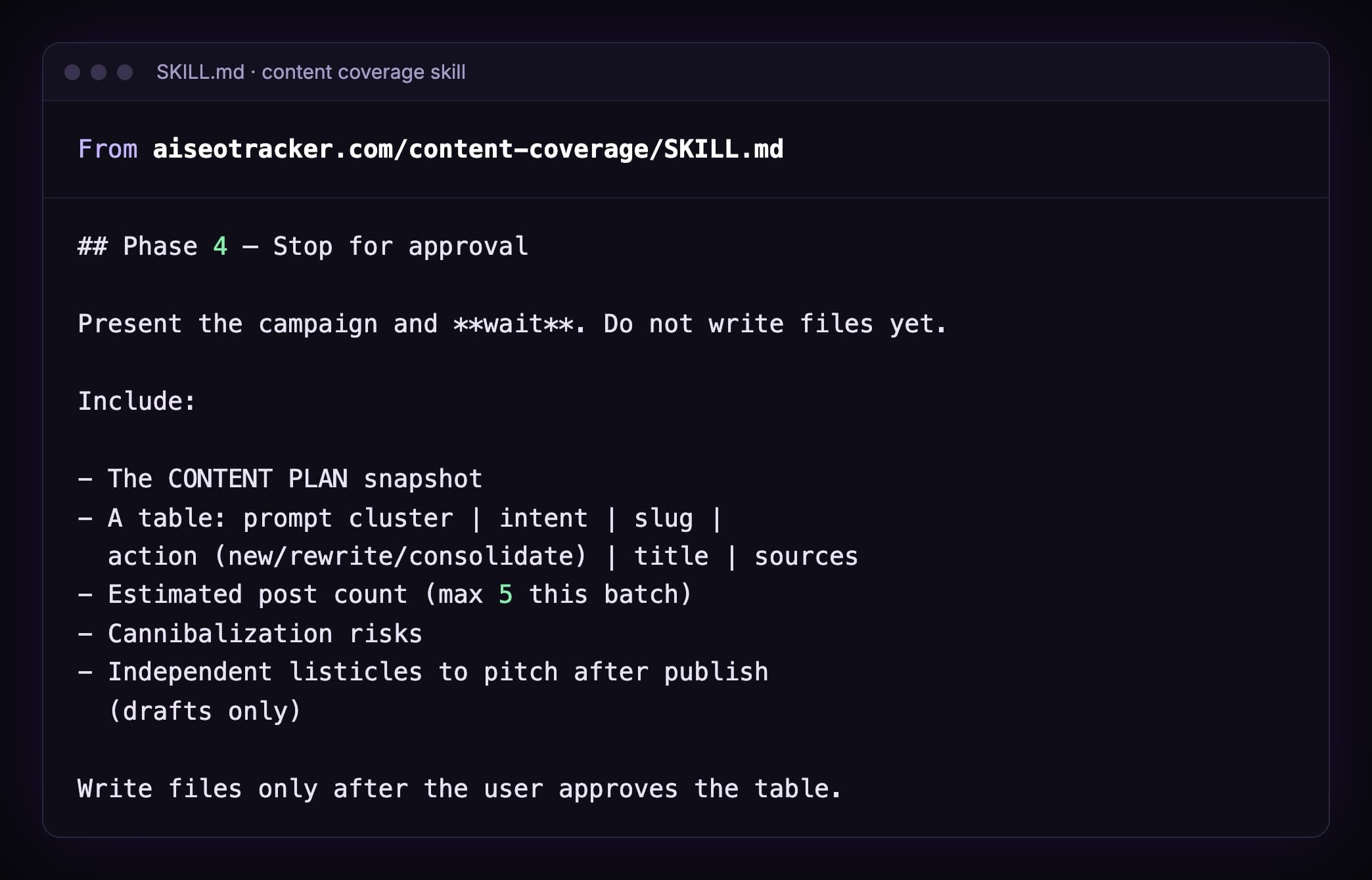
Other rules in it that I'd steal:
- Max 5 posts per batch. More waits for the next round.
- Rewrite before new. It checks your existing posts first, so it doesn't write a near-duplicate.
- 3 to 5 verified sources per post. A URL that doesn't load is marked
unverifiedand skipped. - A manifest. A small table of what's planned, drafted and done. So a long run can resume.
- No promises. It never says "this will rank".

How to run them
You don't install a skill. You paste one line. You still approve the sign-in in your browser.
| Skill | Paste this |
|---|---|
| Setup | Fetch https://aiseotracker.com/SKILL.md and follow it to connect AI SEO Tracker MCP and summarize my AI visibility for [your-domain.com]. |
| Report | Fetch https://aiseotracker.com/ai-seo-report/SKILL.md and write the AI SEO report brief for [your-domain.com]. |
| Content coverage | Fetch https://aiseotracker.com/content-coverage/SKILL.md and plan content coverage from missing AI search prompts for [your-domain.com]. Stop for approval before writing files. |
Works in any agent that can fetch a URL: Claude Code, Cursor, ChatGPT.
The report and content skills need the MCP server connected first. The setup skill shows the agent how. You approve the sign-in in your browser.
And you need data to read. That comes from a scan: $49 once for up to 50 prompts on five engines, or a plan from $79/mo.
Write your own SEO skill
Six rules. All six come from the files above.
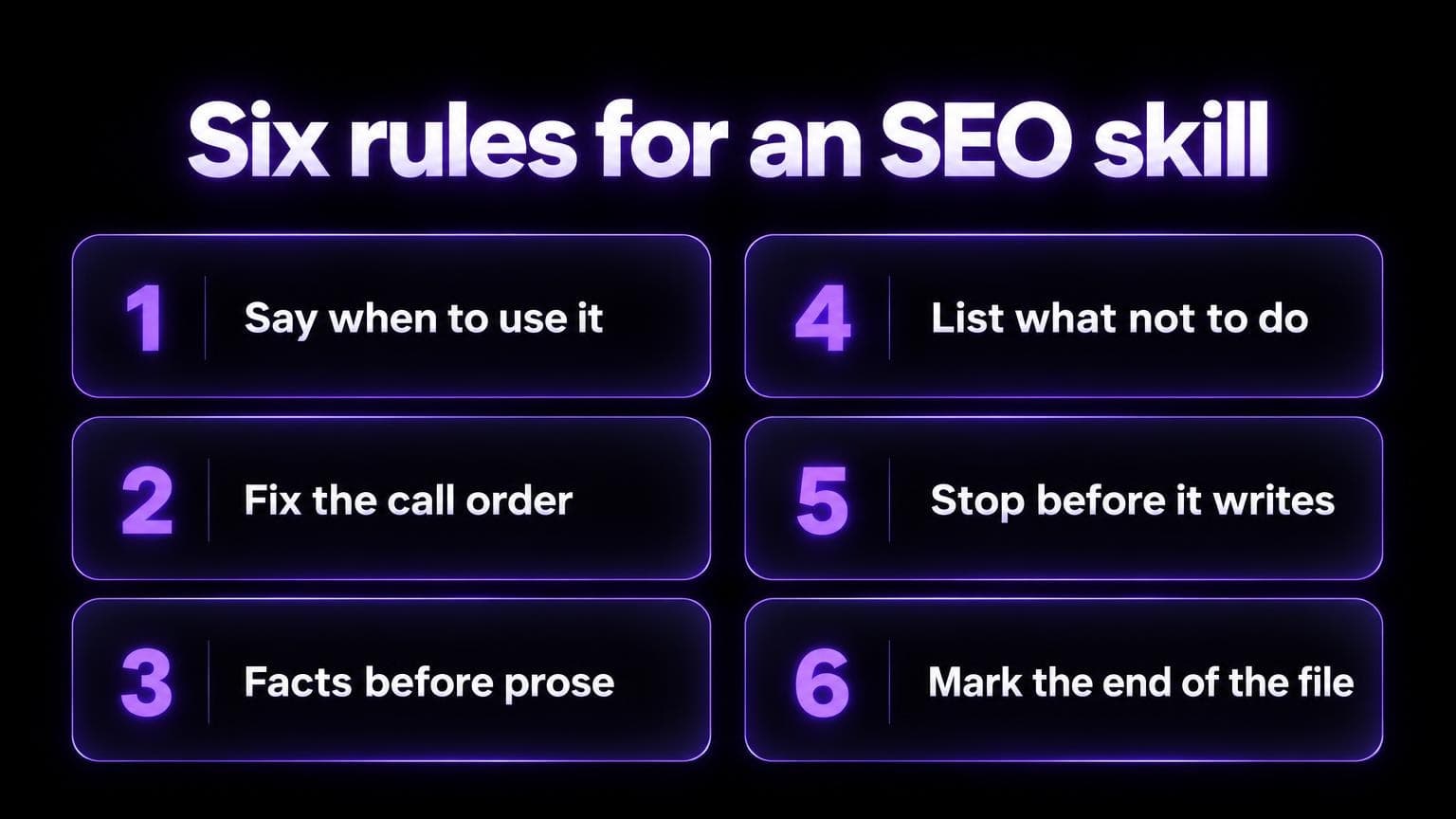
- Say when to use it. Put trigger phrases in the description.
- Fix the call order. Name the tools. Number the steps.
- Facts before prose. Make the agent fill a data block first.
- List what not to do. Invented ranks. Guessed URLs. Unasked writes.
- Stop before it writes. Plans and drafts, then your approval.
- Mark the end of the file. So a half-fetched file gets fetched again.
Here's a template. A weekly recap skill that reads our MCP server:
---
name: weekly-ai-visibility-recap
description: >-
  Write a weekly recap of AI search visibility from the AI SEO Tracker
  MCP server. Use when the user asks for a Monday recap, a weekly AI SEO
  report, or "what changed in AI search this week".
---

# Weekly AI visibility recap

## Call order (do not skip)

1. `aiseo_list_projects`: pick the project the user named. Never invent a slug.
2. `aiseo_get_scan`: if `state` is `running`, say so. Write from what exists.
3. `aiseo_list_prompts`: keep `summary` and the prompts with status `missing`.
4. `aiseo_list_sources`: keep the 10 sources with the highest `mentionCount`.
5. `aiseo_get_source_history`: for the top 3 sources only.

## Fill this block first

RECAP DATA:
Project: <slug> | Snapshot: <lastCheckedAt>
Tracked: <total> | Winning: <winning> | Missing: <missing>
Top sources: <domain> (<mentionCount>), ...
Dropped: <url> on <engine> since <missingSince>

## Then write

Five short lines. One action for this week.
Link every prompt and source with its `href`.

## Do not

- Invent ranks, URLs or competitor names
- Call `aiseo_add_prompts`
- Send email or post anywhere

END SKILL v1.0.0
To use it in Claude Code, save it in your project:
mkdir -p .claude/skills/weekly-ai-visibility-recap
# save the file as .claude/skills/weekly-ai-visibility-recap/SKILL.md
Then ask: "Give me the Monday recap for acme.com."
The description matches. The skill loads. The agent follows the order.
Mistakes that make a skill fail
- A vague description. "Helps with SEO" matches nothing. Say when to use it.
- No data source. The skill tells the agent to "check AI visibility" but gives it no tool. So it guesses.
- Prose before facts. No data block, so gaps get smoothed over.
- No stop point. The agent writes ten files while you get coffee.
- Too long. The body loads into context each time it runs. Keep it tight, and put reference material in separate files.
- Stale facts. Prices and tool names inside a skill go out of date. Ours tells the agent to fetch the file again before quoting them.
FAQ
Do Claude skills work outside Claude?
The format is an open standard. And a skill is plain Markdown.
Our three are served at public URLs. Any agent that can fetch a URL can read and follow them.
Is a skill the same as an MCP server?
No. A skill is instructions. An MCP server is live tools and data. How our MCP server works.
Do I need to code to write a skill?
No. It's a Markdown file with a name and a description.
Scripts are optional.
Are the generic SEO skills on GitHub any good?
For page audits, some are. They read your HTML and list fixes.
Out of the box, they don't query ChatGPT or Perplexity. So they can't tell you whether you're named or cited. A few add that with paid extensions. Otherwise you need live data.
Can a skill publish content on its own?
It can if you let it. I wouldn't.
Our content skill stops for approval. It never emails or posts, and it deploys only if you ask.
Where do I start?
Connect the MCP server with the setup skill. Run the report skill once. Then read both files and copy what you like.