



TL;DR
- What it is: an MCP server lets your AI agent read SEO data. Most give keywords and rankings. Ours gives AI answer data.
- Setup: one URL, browser sign-in, no API key. One command in Claude Code.
- Tools: eight. Seven read, one writes. The write only adds prompts you ask for.
- Real run: we ran it on our own project. 7 prompts. 0 named. And ChatGPT stopped citing the list we want to be on.
- Use it: five jobs you can paste. Monday recap, what to write, who to pitch, Reddit, rivals.
Does AI name your brand? Check your site.
I asked Claude Code a simple question.
"Does ChatGPT name us?"
It called our MCP server. Read the data. Answered from it.
The answer was no. 7 prompts tracked. 0 named.
Not fun. But useful.
This guide shows how that works. How to connect an SEO MCP server, what each tool returns, and five jobs you can hand your agent today.
Every output below is real. From our own project, on 2 and 3 October 2026.
What an SEO MCP server does
MCP stands for Model Context Protocol.
It's a standard way for an AI agent to call tools.
Your agent is Claude Code, Cursor, ChatGPT or Claude. The MCP server is the tool.
So instead of you opening a dashboard, copying numbers, and pasting them into a chat, the agent reads the data itself.
You ask in plain words. It calls the tools. It answers from the tool output.
That last part matters. An agent with data beats an agent with a memory.
Ask ChatGPT "which pages does Perplexity cite for my keywords?" with no tools, and it guesses.
Ask an agent with an MCP server, and it reads the list.
Two kinds of SEO MCP servers
Search "SEO MCP server" and you get two kinds mixed together.
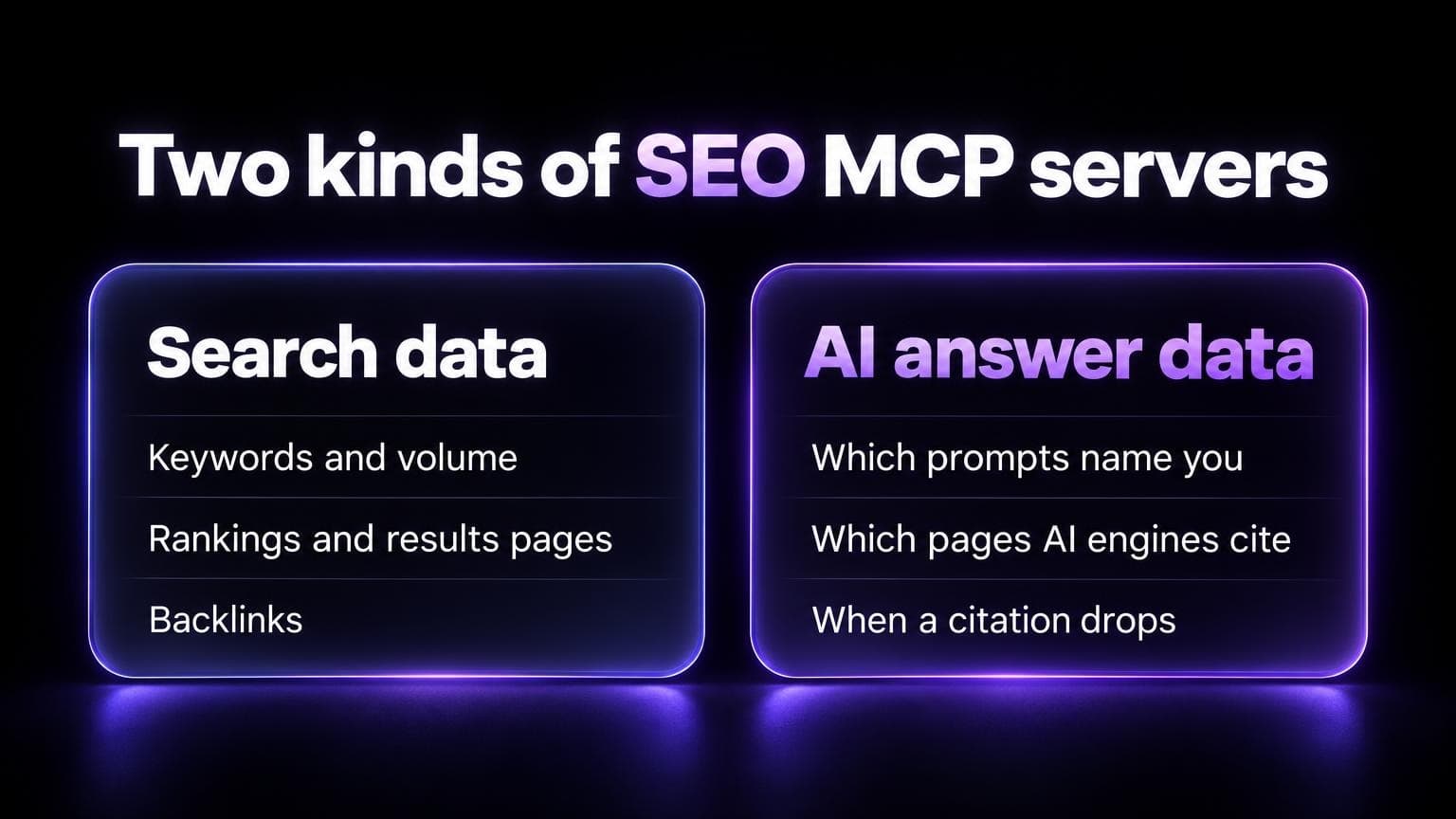
Search data. Keywords, volume, rankings, backlinks. DataForSEO has one. Several keyword and rank tools have one too.
AI answer data. Which prompts name your brand in ChatGPT, Perplexity, Gemini, Copilot and Google AI Overviews. Which pages those engines cite. When a page stopped being cited.
You probably want both.
A rank tool tells you where you are on Google. It doesn't tell you what ChatGPT says.
And Google rank is a weak guide to AI answers. In an Ahrefs study of 15,000 prompts, only 12% of the links the AI assistants cited were in Google's top 10, on average. ChatGPT, Gemini and Copilot sat at 6% to 9%. Perplexity was the outlier at 28.6%.
The rest of this guide uses the AI answer kind: the AI SEO Tracker MCP server.
How to connect it
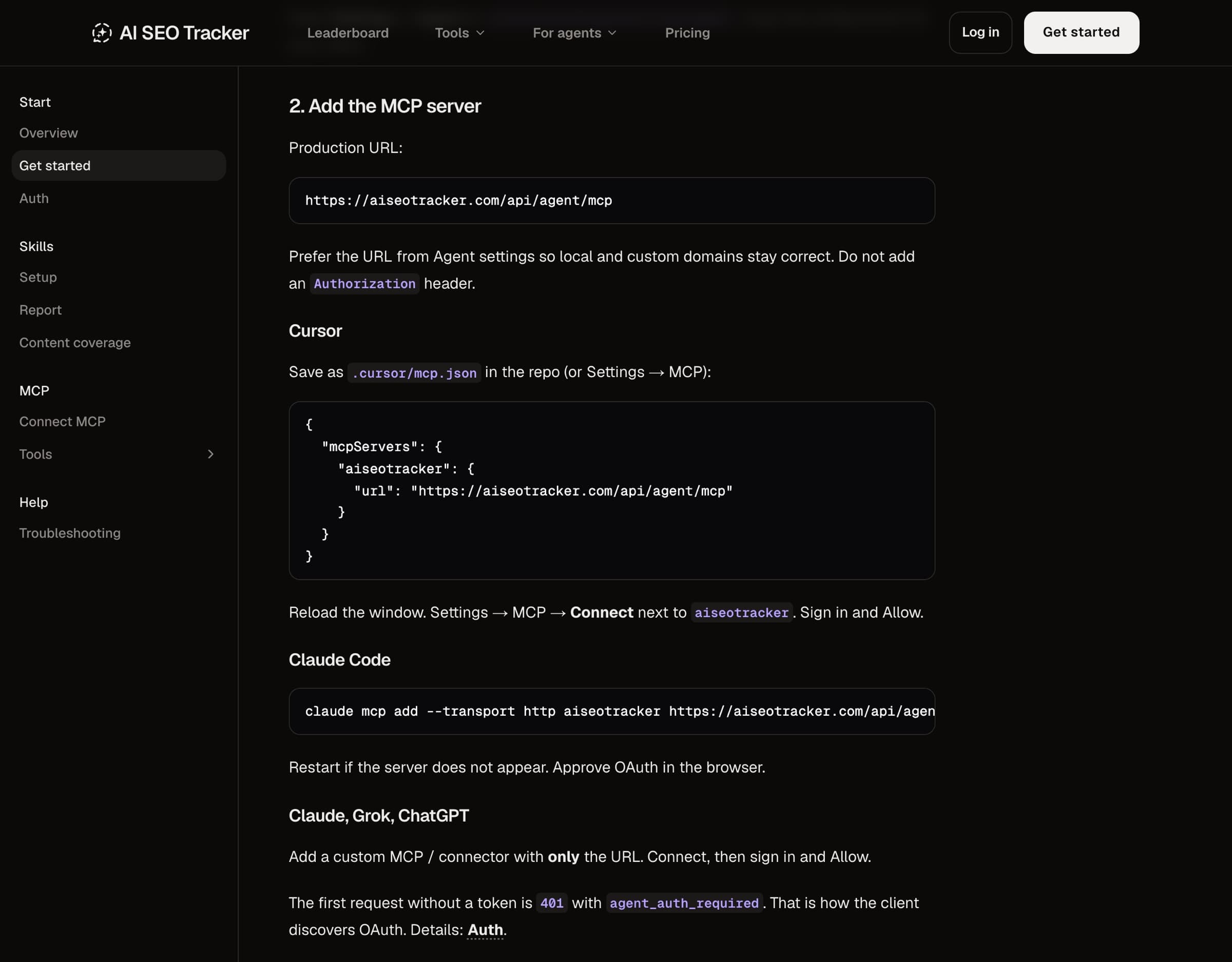
One URL:
https://aiseotracker.com/api/agent/mcp
No API key. No token in a config file.
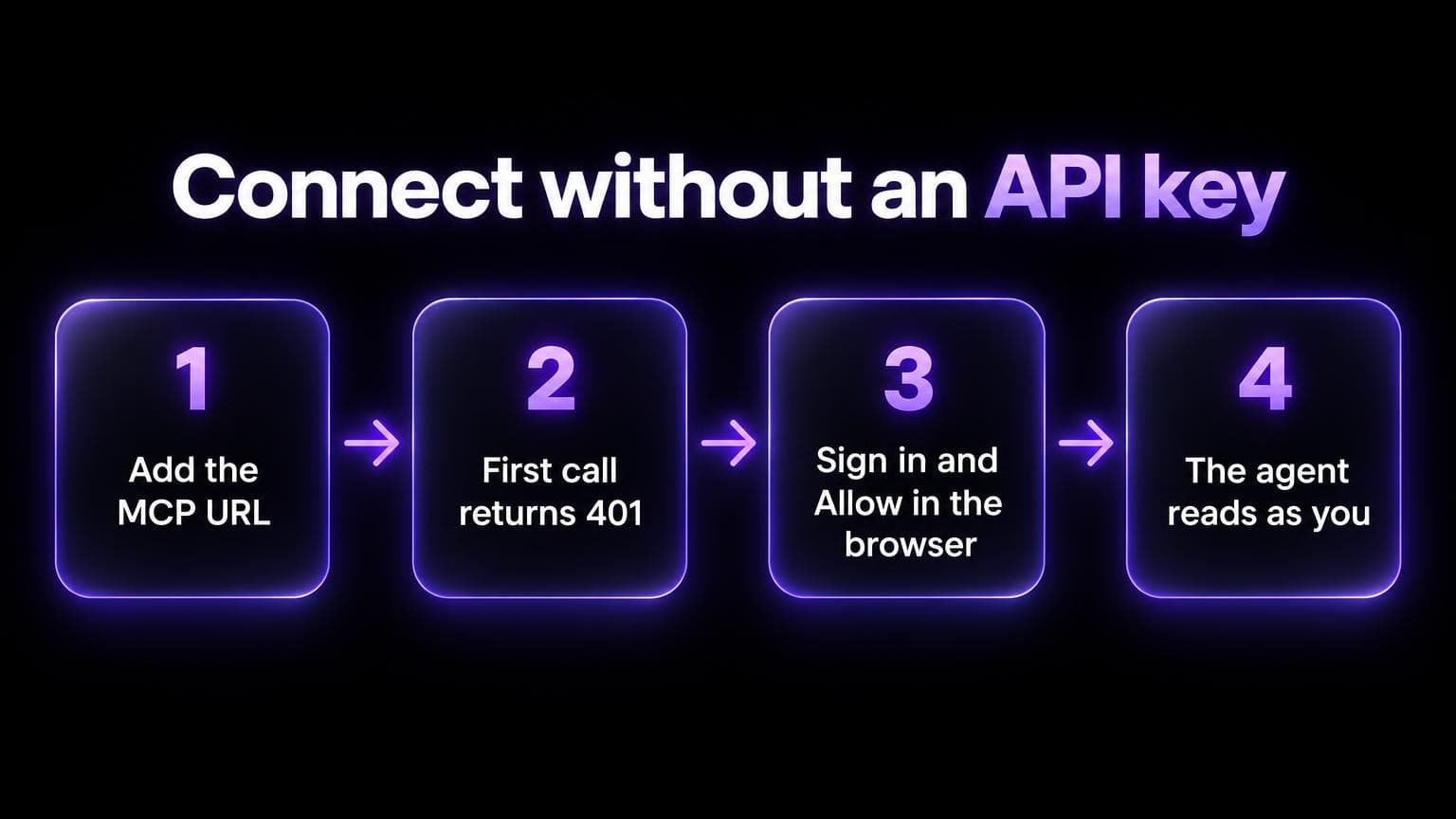
Here's what happens:
- You add the URL to your agent.
- The first call comes back 401 with
agent_auth_required. - Your agent opens a browser. You sign in and click Allow.
- From then on, the agent reads the data as you.
It sees the projects you can open on the website. Nothing more.
Claude Code
One command:
claude mcp add --transport http aiseotracker https://aiseotracker.com/api/agent/mcp
Then run /mcp in Claude Code and pick aiseotracker. A browser opens. Approve the sign-in there.
Cursor
Save this as .cursor/mcp.json in your repo:
{
  "mcpServers": {
    "aiseotracker": {
      "url": "https://aiseotracker.com/api/agent/mcp"
    }
  }
}
Reload the window. Go to Settings, then MCP, and click Connect next to aiseotracker.
Claude, ChatGPT and Grok
Add a custom connector with only the URL. Connect, sign in, Allow.
Short on time? Paste this in your agent. It fetches our setup skill and does the rest:
Fetch https://aiseotracker.com/SKILL.md and follow it to connect AI SEO Tracker MCP and summarize my AI visibility for [your-domain.com].
The eight tools
Eight tools. All start with aiseo_ so they don't clash with other servers.
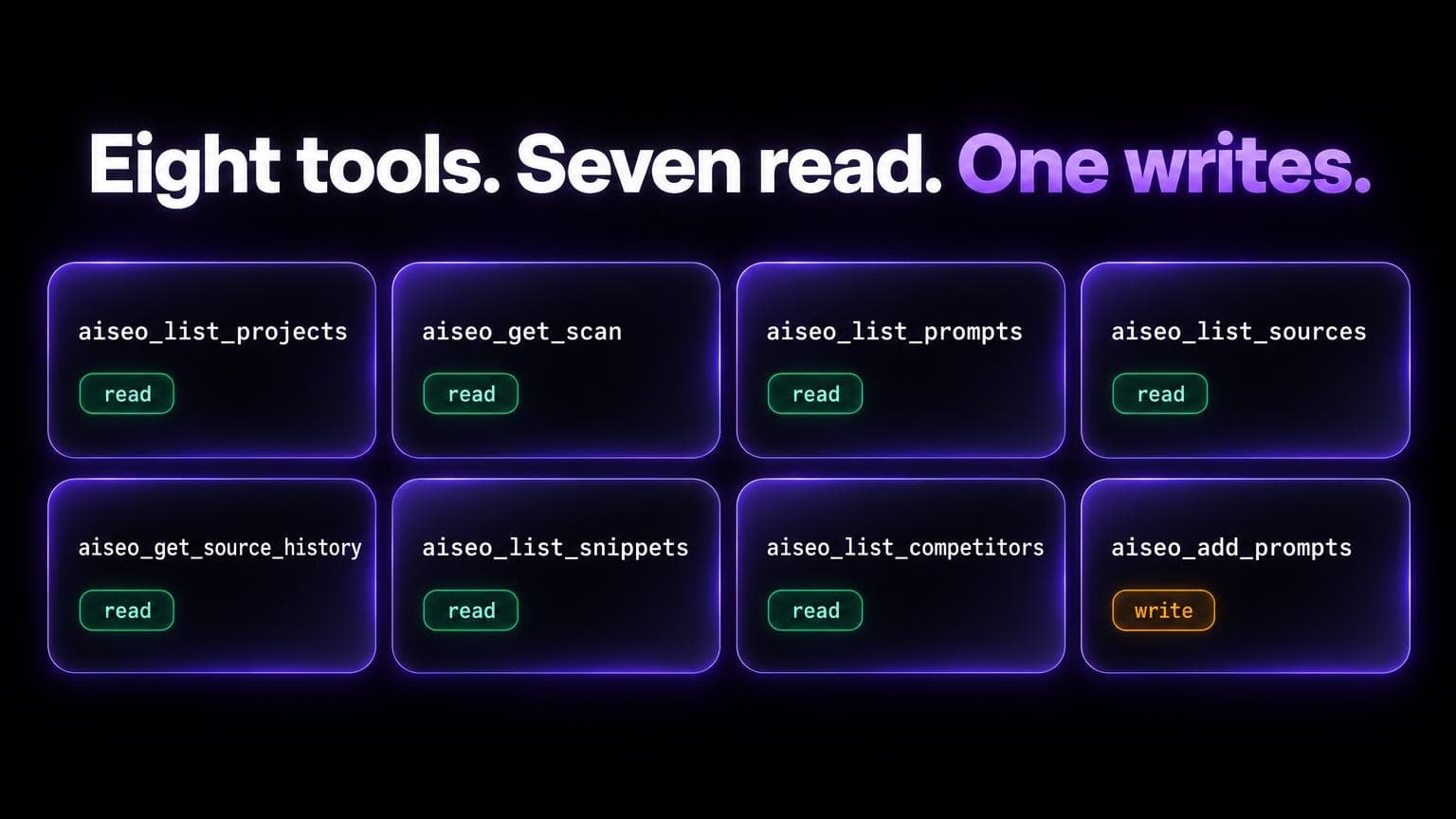
| Tool | What it returns | Use it when |
|---|---|---|
aiseo_list_projects | Your projects and their slugs | Always first |
aiseo_get_scan | Is a scan running or done | Before you read results |
aiseo_list_prompts | Each prompt: winning, opportunity or missing, with ranks per engine | You want gaps |
aiseo_list_sources | Every page the engines cited | You want pages to pitch |
aiseo_get_source_history | One URL, per engine, day by day | You want to know if a citation dropped |
aiseo_list_snippets | The answer text that names a brand | You want the words AI uses |
aiseo_list_competitors | Rival brands on the project | You want rival names without guessing |
aiseo_add_prompts | Adds 1 to 20 prompts per call | You asked it to track new prompts |
Full reference: MCP tools.
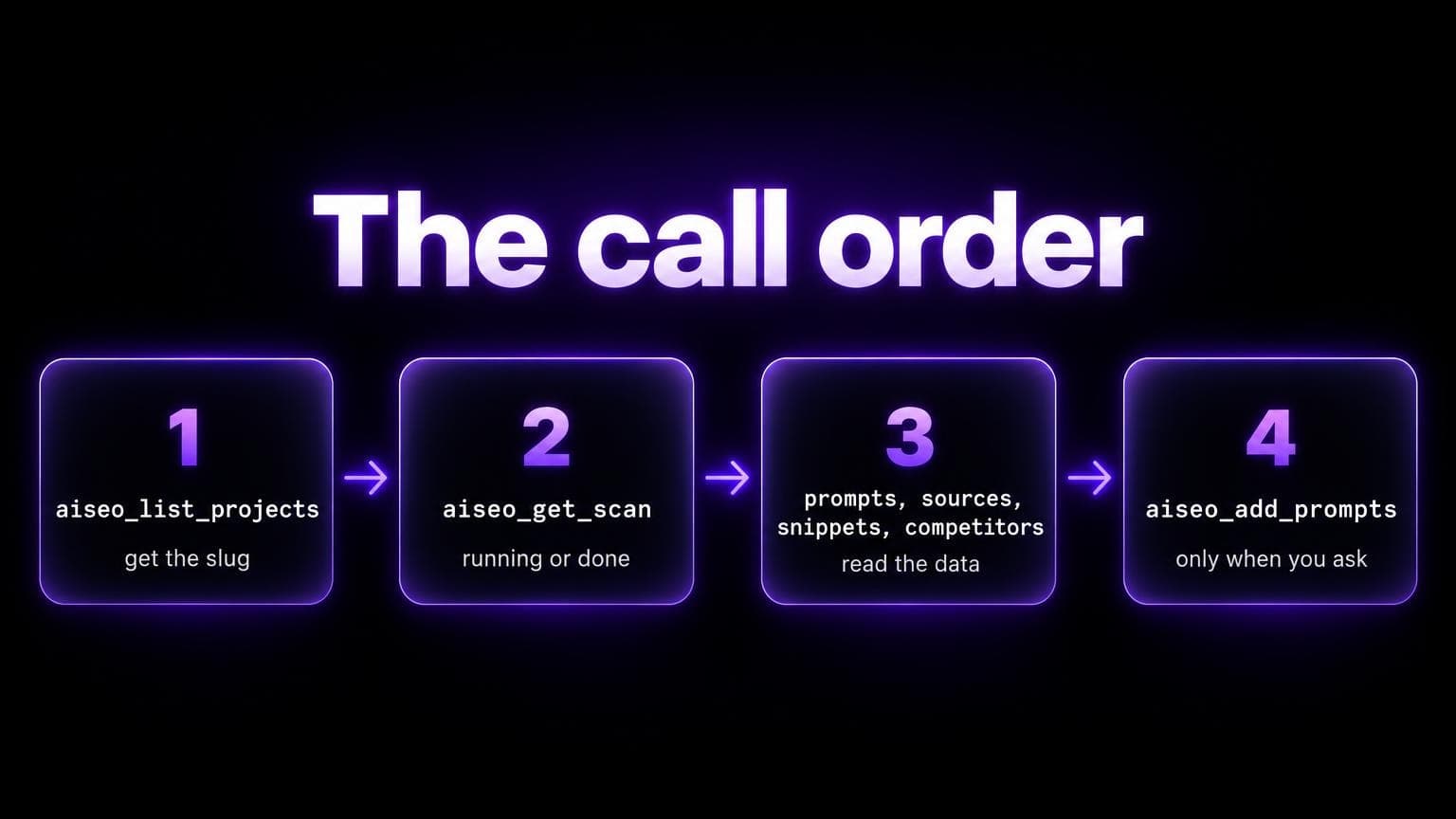
The order matters. Slug first. Then scan state. Then the data.
One gotcha: done from aiseo_get_scan means no scan jobs are running.
It doesn't mean every prompt has results. Compare scannedPromptCount with promptCount for that.

A real session on our own project
Here's the run. Our own brand. No edits except trimming long lists.
Step 1. Find the project.
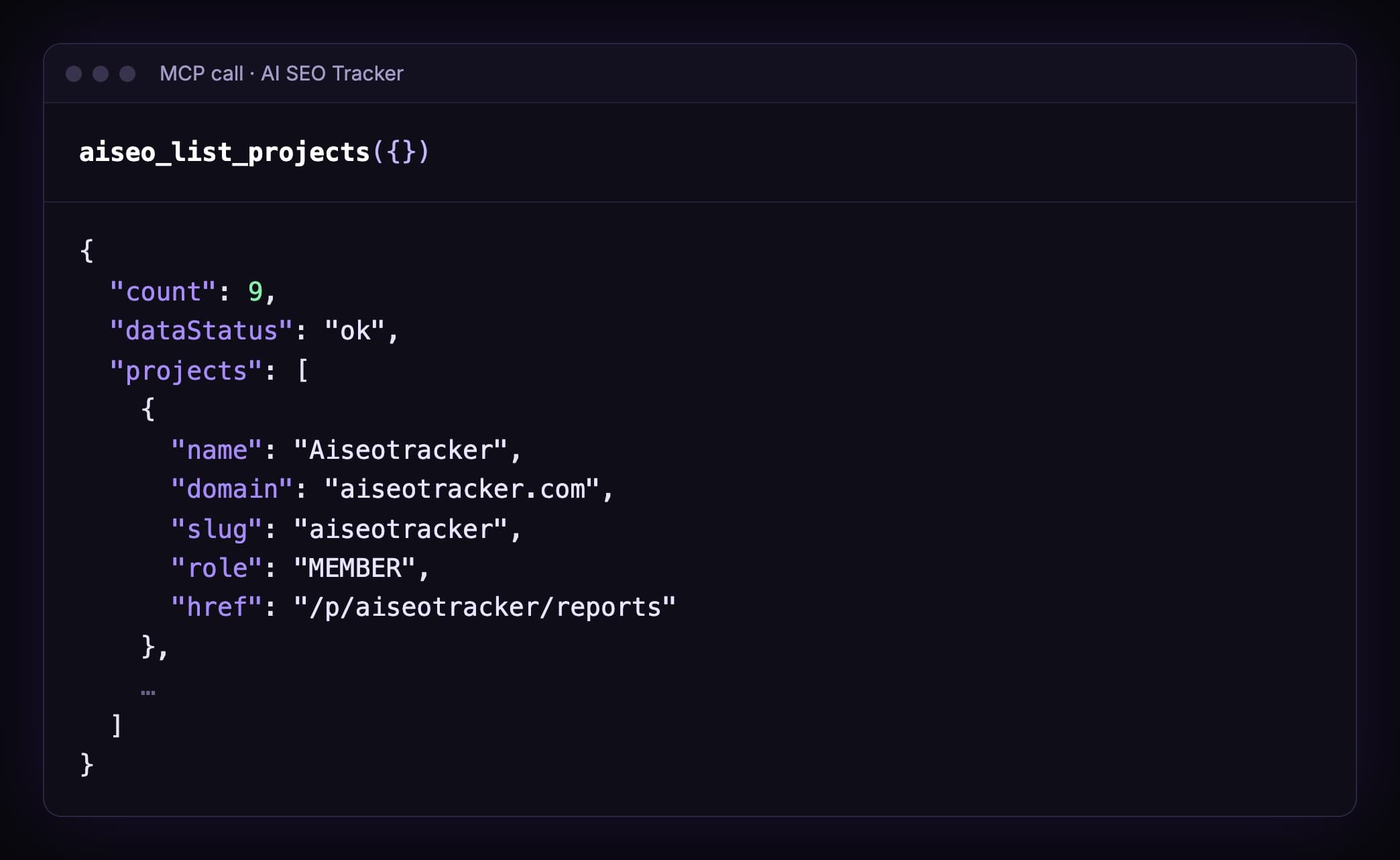
The agent must use this slug. It should never guess one from the company name.
Step 2. Is the data ready?
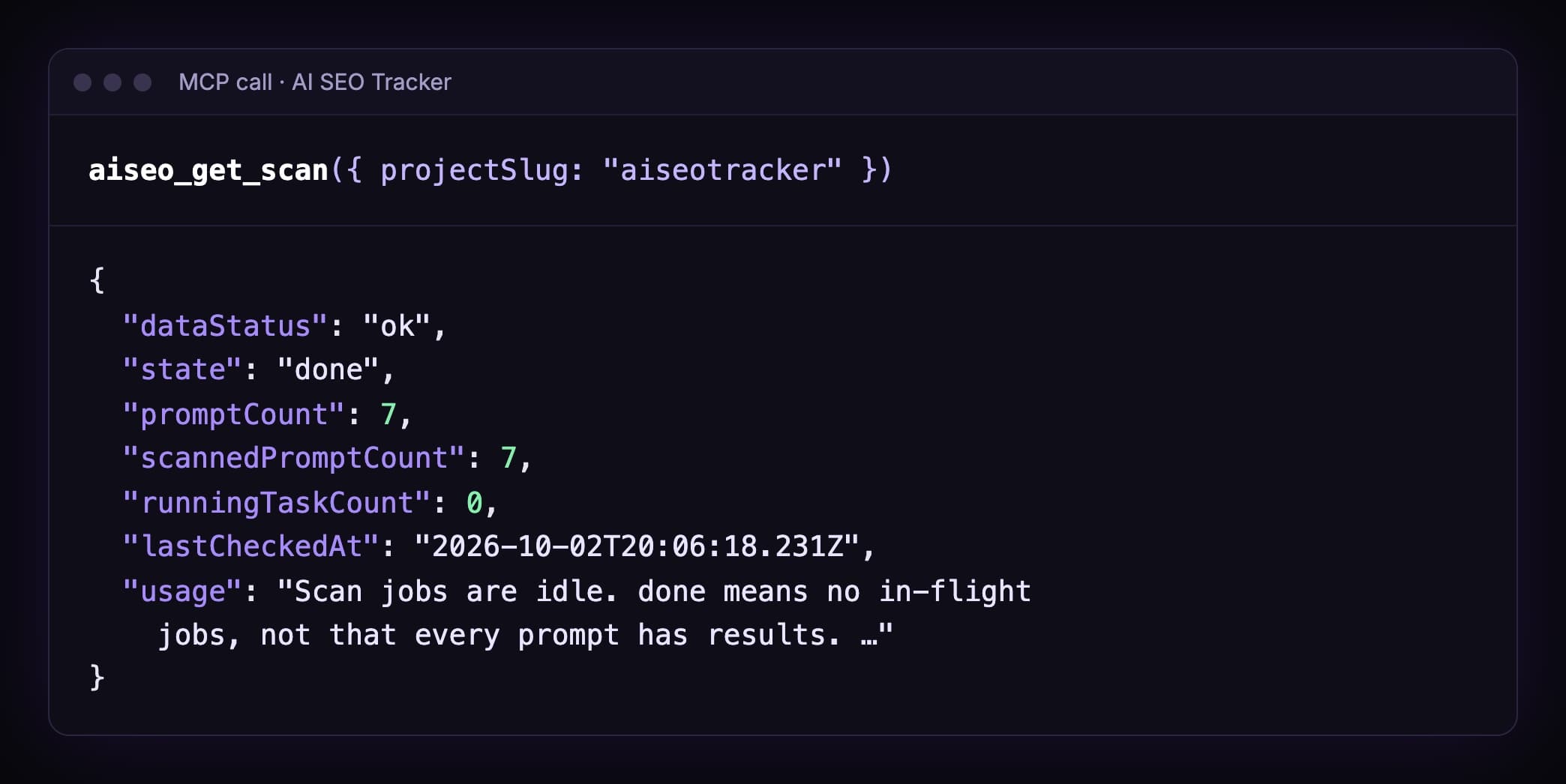
7 of 7 prompts scanned. Last check: 2 October, 20:06 UTC.
Step 3. Are we named?
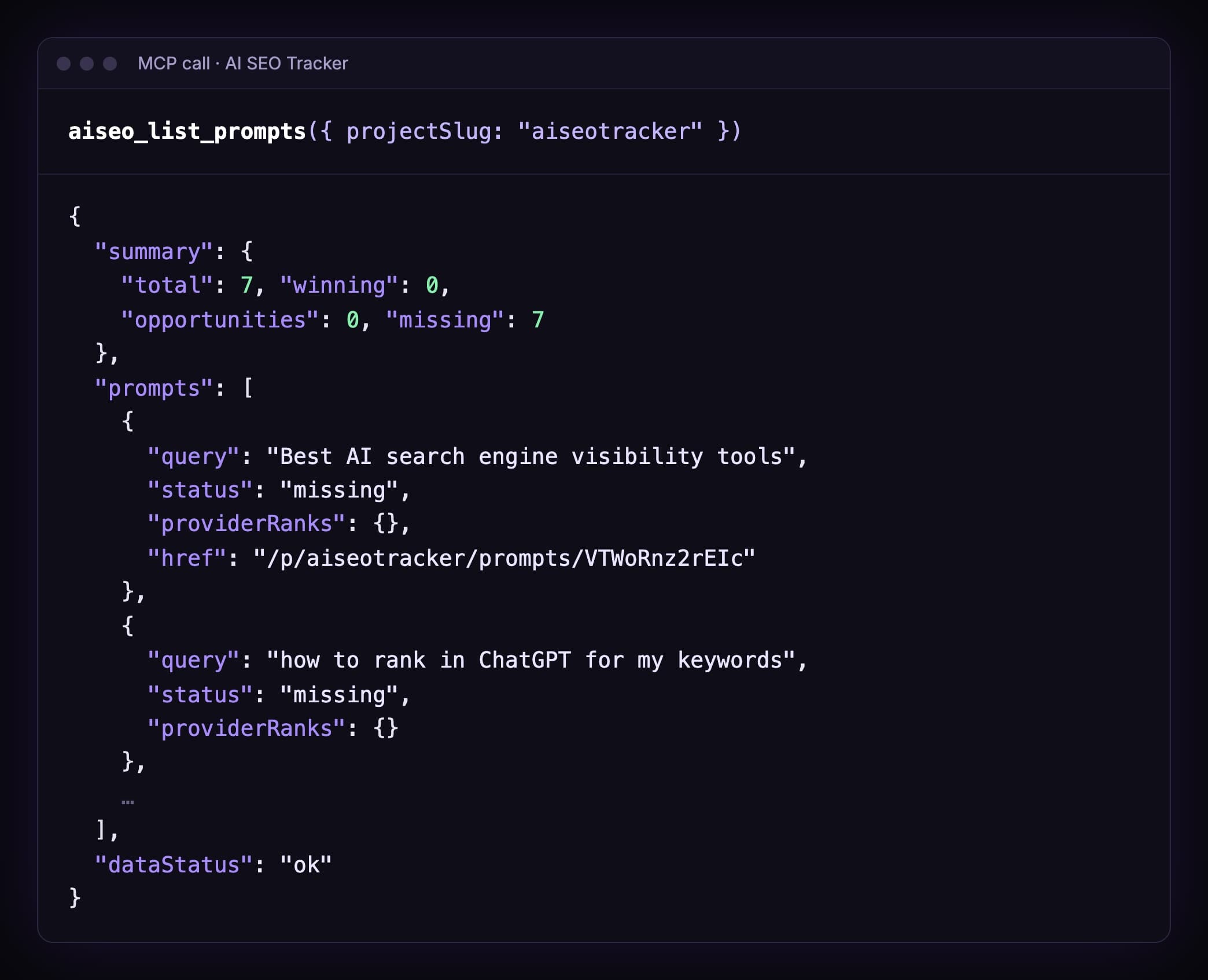
No. The latest answers don't name us on any of the 7.
Not for "best AI search engine visibility tools". Not for "how to rank in ChatGPT for my keywords".
We sell an AI visibility tracker. And the engines don't name it.
That's the honest starting point. Most guides skip this part.
Step 4. Who gets cited instead?
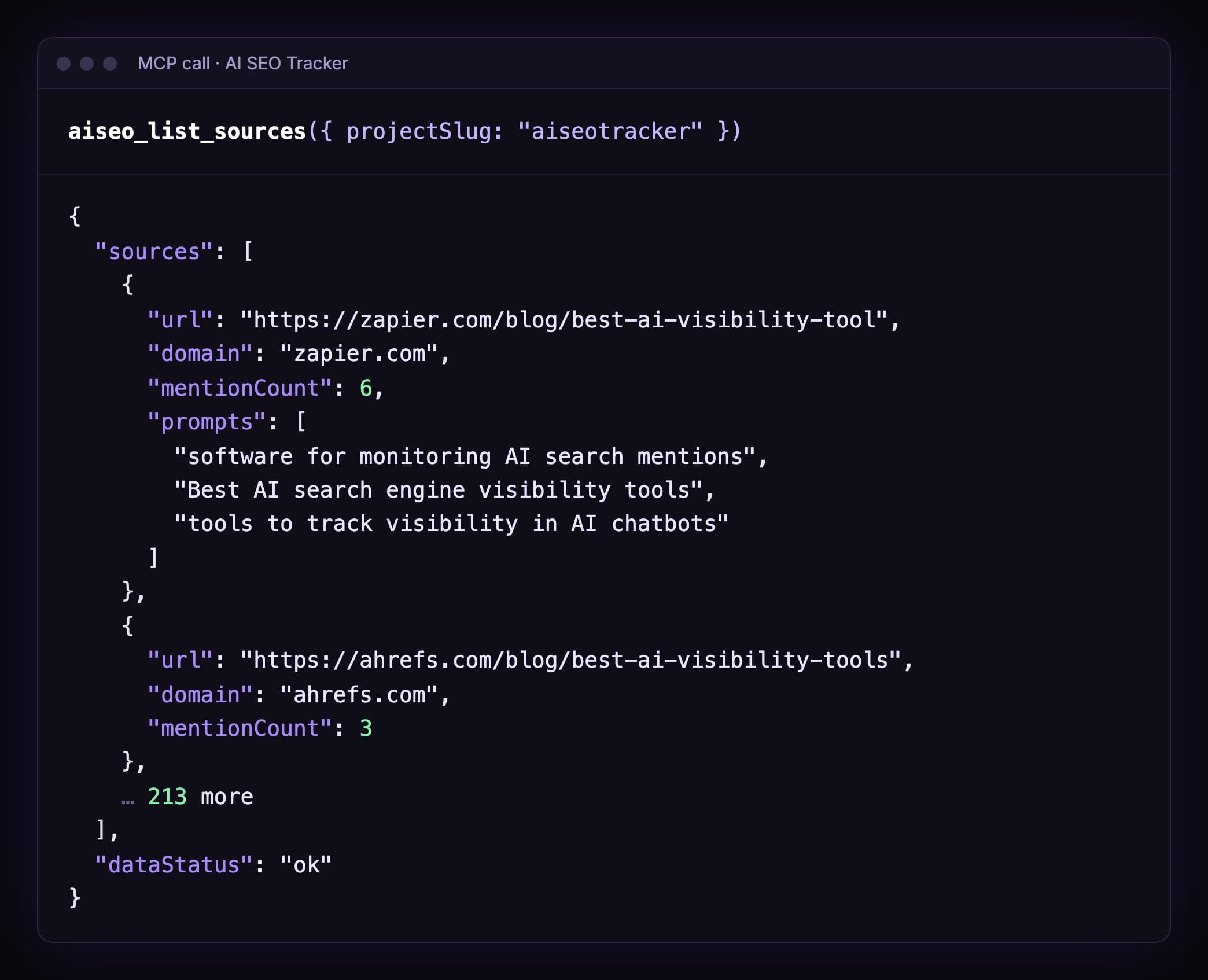
215 pages cited across our 7 prompts.
On top: Zapier's list of AI visibility tools. 6 citations, across 3 of our prompts.
That's the page to get onto.
Step 5. Is Zapier's list still cited?
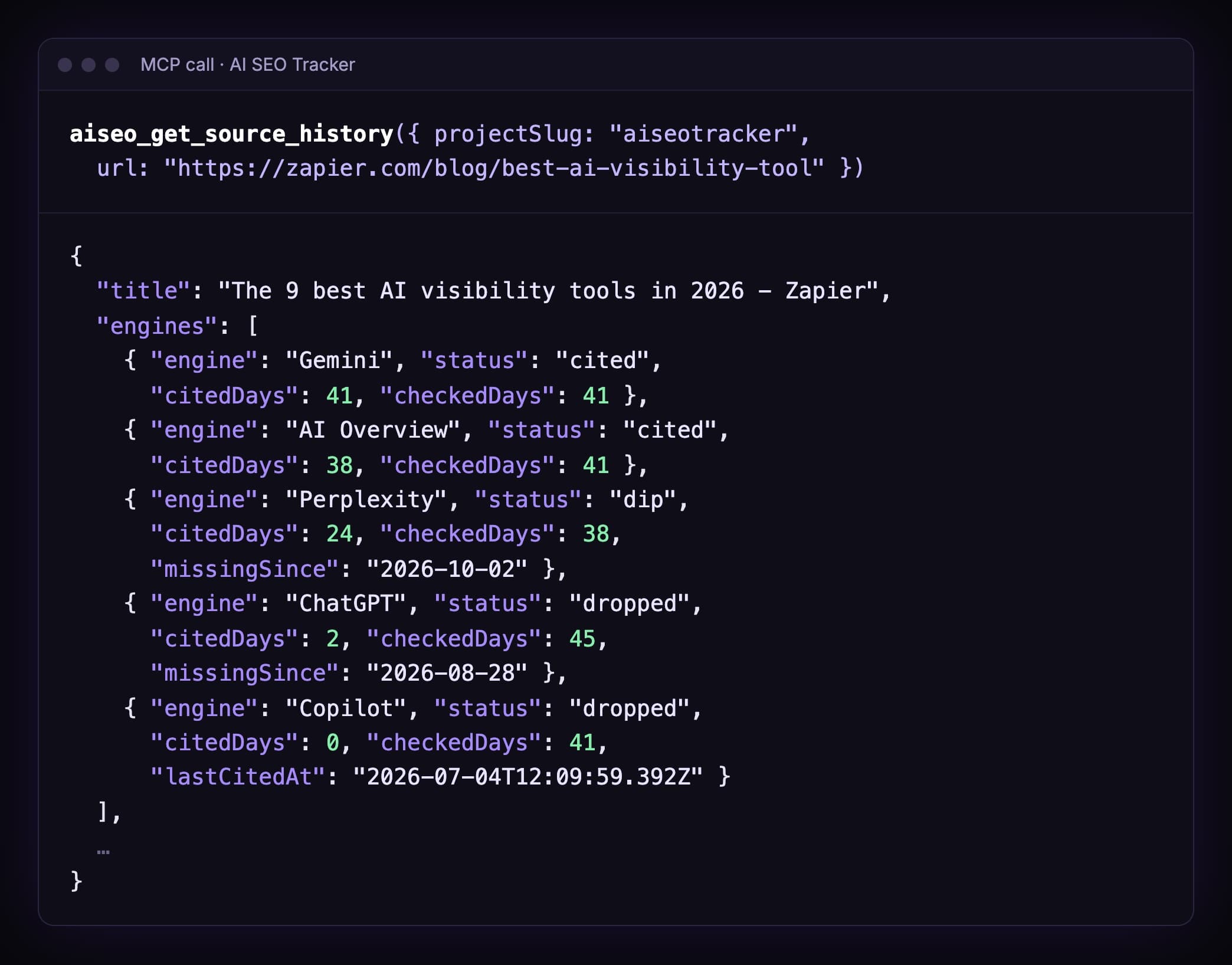
Read it engine by engine:
- Gemini: cited on 41 of 41 checked days.
- AI Overviews: 38 of 41.
- Perplexity: 24 of 38. A dip since 2 October.
- ChatGPT: 2 of 45. Dropped since 28 August.
- Copilot: 0 of 41. Dropped. Last cited on 4 July.
So a spot on Zapier's list helps on Gemini and Google today.
On ChatGPT? Probably not, right now.
That changes the plan. Without the history, you'd pitch Zapier and expect ChatGPT to move.
What the statuses mean: dip is one or two checked days in a row without a citation. Dropped is three or more.
Step 6. What do the answers say about us?
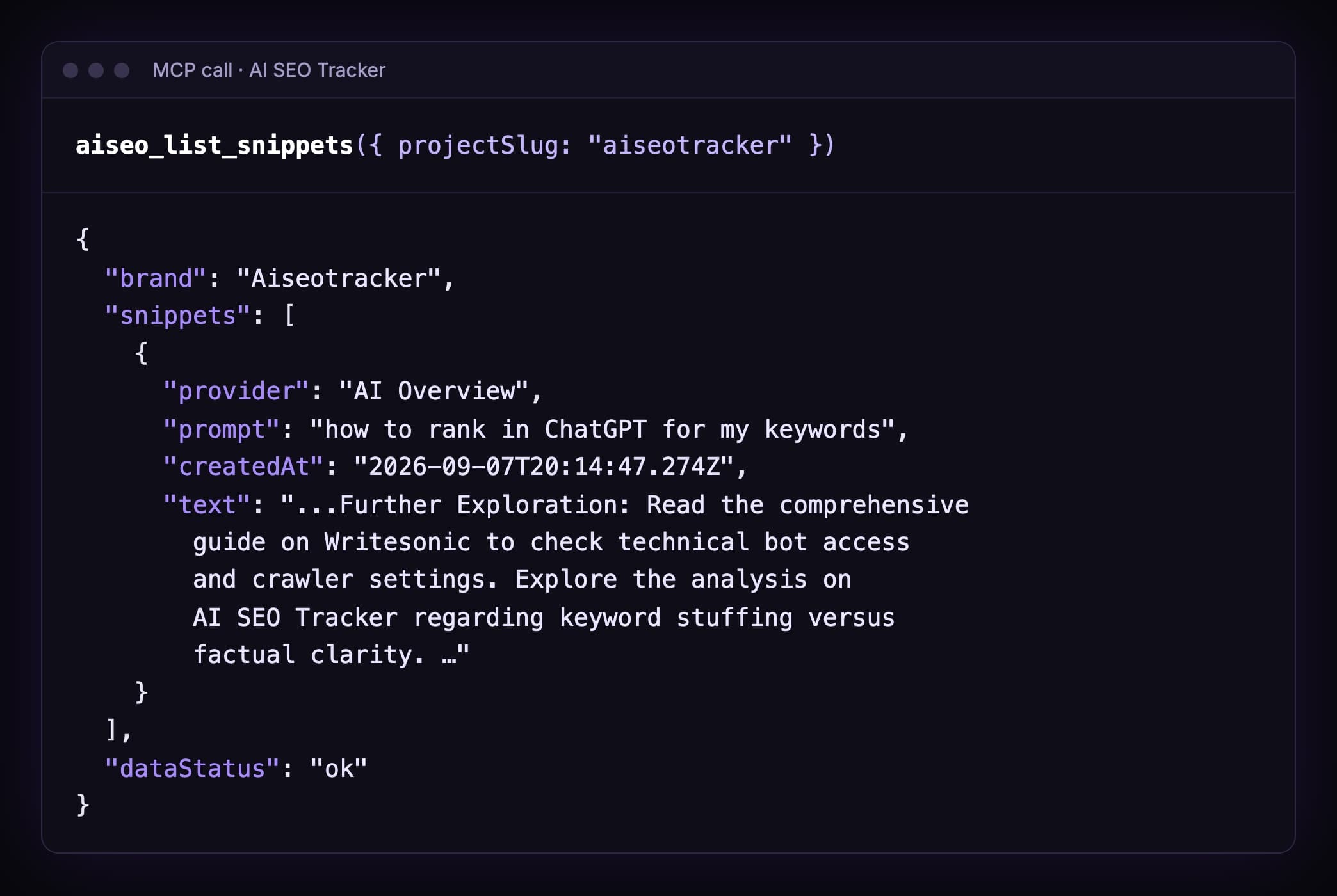
One snippet. Google's AI Overview named us once, on 7 September.
In a "further exploration" line. Not as a pick.
Six calls.
And a clear to-do list: get onto Zapier's list, check ChatGPT separately, and write the pages for the 7 missing prompts.
Five jobs to hand your agent
Copy one. Change the domain. Paste.
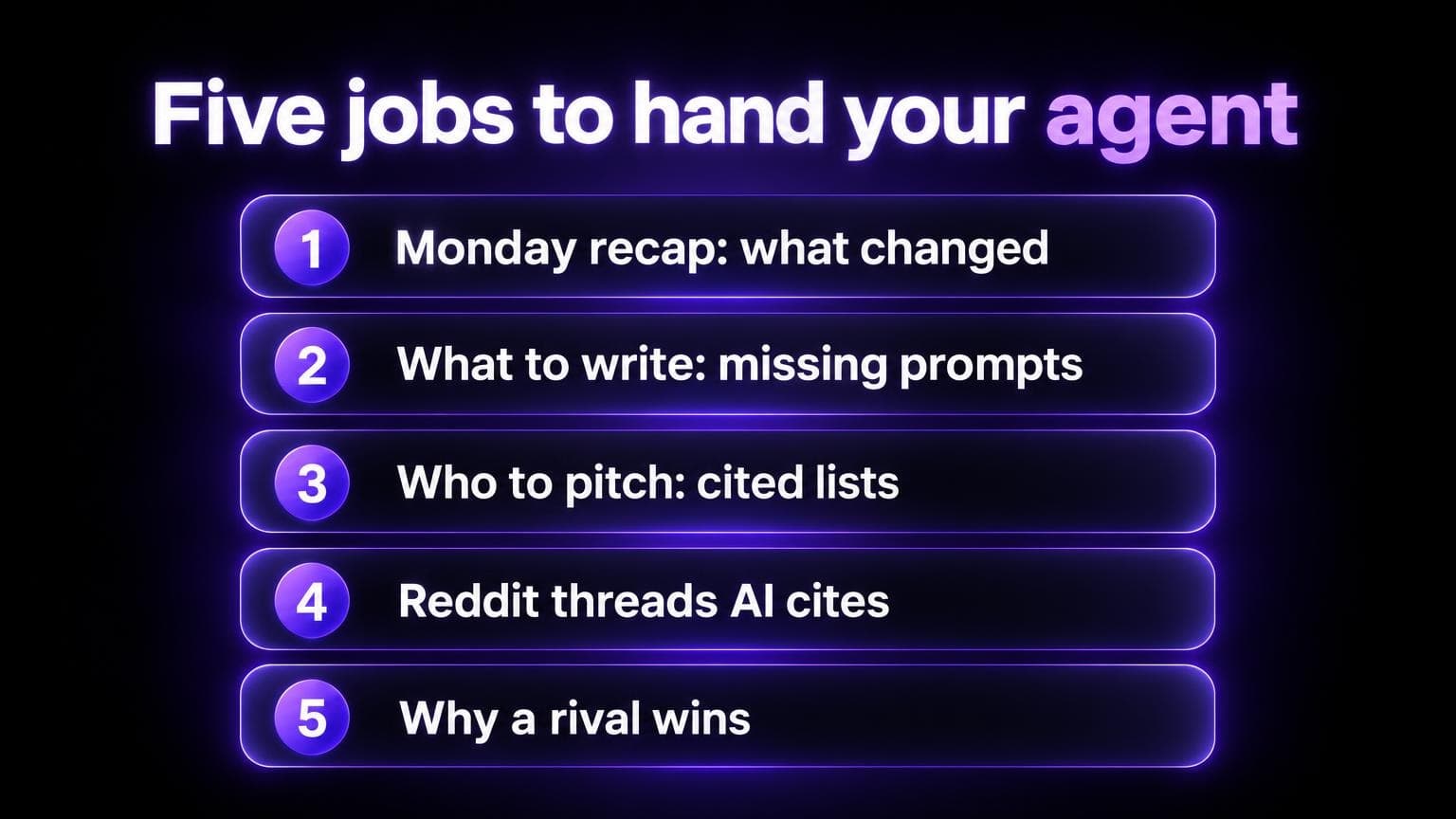
1. Monday recap
Call aiseo_list_projects and use the project for [your-domain.com]. Call aiseo_get_scan, then aiseo_list_prompts and aiseo_list_sources. Write five lines: what is missing, which pages engines cite most, and what to do this week. Copy every number from the tool output. Do not invent ranks.
2. What to write
List the prompts with status missing. Group them by intent. For each group, list the pages the engines cite for those prompts. Suggest one page per group. Stop before you write any file.
For a full content plan, use the content coverage skill. It stops for your approval before it writes.
3. Who to pitch
From aiseo_list_sources, list third-party lists and reviews with mentionCount 2 or more. Skip our own site and vendor pages. For each one, call aiseo_get_source_history and say which engines still cite it. Draft one short pitch per page. Do not send anything.
4. Reddit threads AI cites
Call aiseo_list_sources with domain "reddit", then with domain "quora". For each thread, call aiseo_get_source_history. Tell me which threads are still cited, and by which engine.
We ran this one too. 4 Reddit threads in our 215 sources. In the last 90 days, only Google's AI Overviews cited them. Never ChatGPT, Gemini, Copilot or Perplexity.
5. Why a rival wins
Call aiseo_list_competitors and pick the first TRACKED one. Call aiseo_list_snippets with brand set to that competitor. Quote two answers that name them. Then compare with how the answers describe us.
Want the same brief as our Report page? Use the report skill.
What it cannot do
This is on purpose.
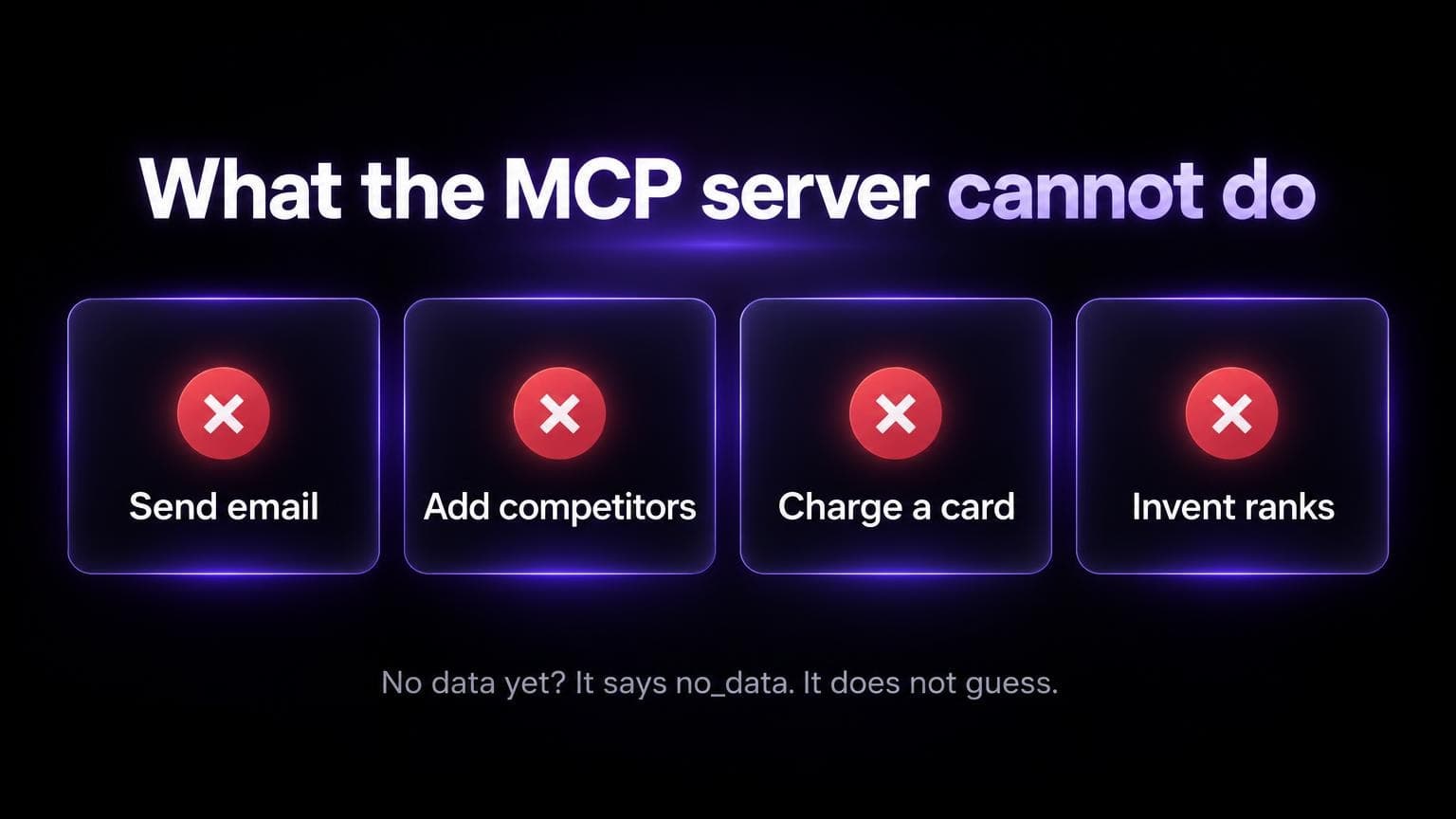
- No email. Pitches stay drafts.
- No posting. Reddit replies stay drafts.
- No competitor changes. You add rivals in the app.
- No card charges. Ever.
- No guessing. No data? The tools return
dataStatus: "no_data".
The one write is aiseo_add_prompts. It adds prompts you asked for, up to 20 per call, within your plan's prompt cap.
New prompts can start a scan if your account can scan.
When something breaks
| You see | It means | Do this |
|---|---|---|
401 with agent_auth_required | Normal first call. No token yet | Let the client open the browser. Sign in, Allow |
| The browser never opens | The client didn't start the sign-in | Remove and add the server again. See troubleshooting |
Project "acme" not found ... Pick one of: ... | Wrong slug | Call aiseo_list_projects and copy a slug |
dataStatus: "no_data" | The project has no prompts yet | Add prompts or wait for a scan. Don't reconnect |
Empty list with empty_filter | Your filter matched nothing | Loosen the filter |
One more thing. The sign-in is account-wide.
You copy the URL from one project, but the agent can read every project you can open.
Want it gone? Revoke it at /account/agents.
FAQ
Do I need an API key?
No. You sign in in the browser. The client keeps the token.
Is the MCP server free?
Connecting needs an AI SEO Tracker account.
The data comes from scans. The $49 report scans up to 50 prompts on five engines, daily for 7 days. Plans start at $79/mo.
Which AI engines does it cover?
ChatGPT, Perplexity, Gemini, Copilot and Google AI Overviews.
Not Claude, Grok or Google AI Mode.
You can use Claude as the agent. It just isn't one of the engines we scan.
Does my model provider see the data?
Tool results go into the chat. So the provider of the model you use sees them, like anything else you paste.
Can the agent add competitors?
No. Add them in the app. The agent can read them with aiseo_list_competitors.
How is this different from a rank tracker MCP?
A rank tracker MCP reads Google positions.
This one reads AI answers: who gets named, which pages get cited, and when that changes.
More on the difference: AI SEO vs traditional SEO.